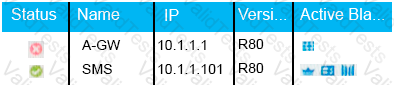
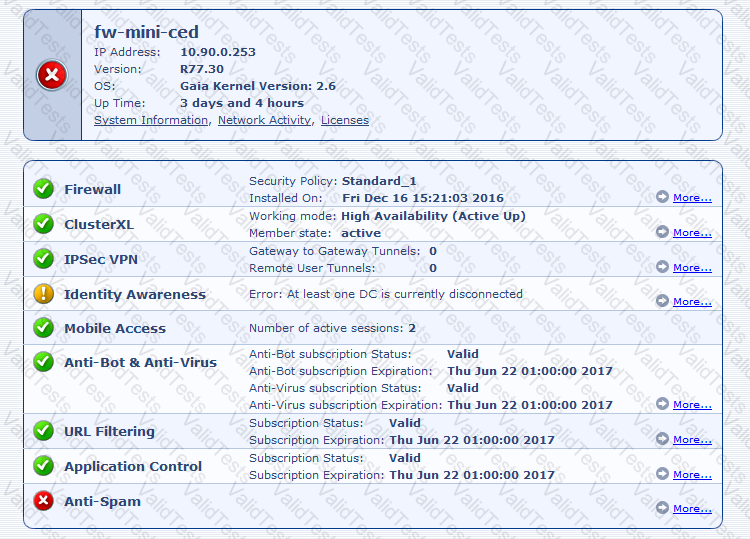
If Deyra sees the gateway status as shown in the image, it means that there is a blade reporting a problem. The red “X” in the status column indicates that one or more blades on the Security Gateway have a problem that requires attention. The other options are not correct, as they do not match the status shown in the image. If the SmartCenter Server cannot reach this Security Gateway, the status column would show a yellow triangle with an exclamation mark. If the VPN software blade is reporting a malfunction, the blades column would show a red “X” on the VPN icon. If the Security Gateway’s MGNT NIC card is disconnected, the IP column would show “N/A” instead of the IP address.
References: Remote Access VPN R81 Administration Guide, Check Point R81.10
Contribute your Thoughts:
Chosen Answer:
This is a voting comment (?). You can switch to a simple comment. It is better to Upvote an existing comment if you don't have anything to add.



Submit