View all questions & answers for the Desktop-Specialist exam
Which of the following are valid ways to copy a worksheet visualisation as an image?
By simply clicking Control + V on the keyboard
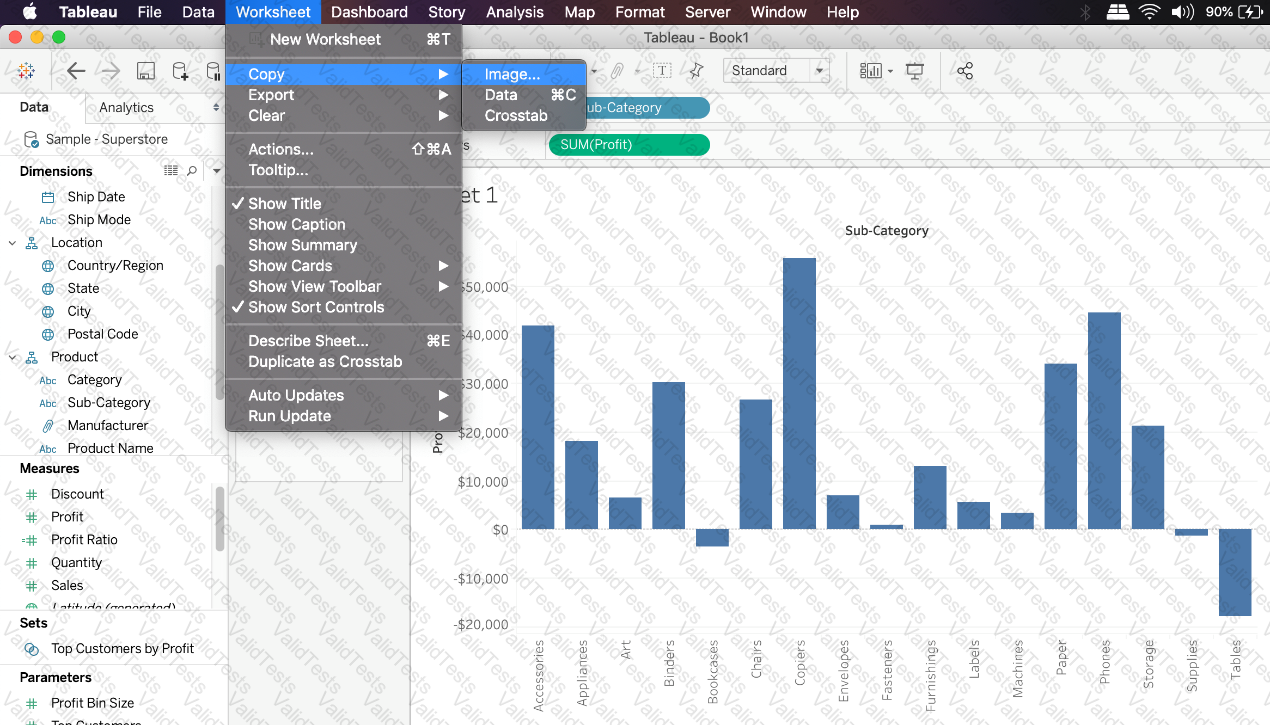
By clicking on Worksheet in the Tableau Main Menu above, and choosing Copy->Image
Using the Marks shelf and choosing Copy->Image
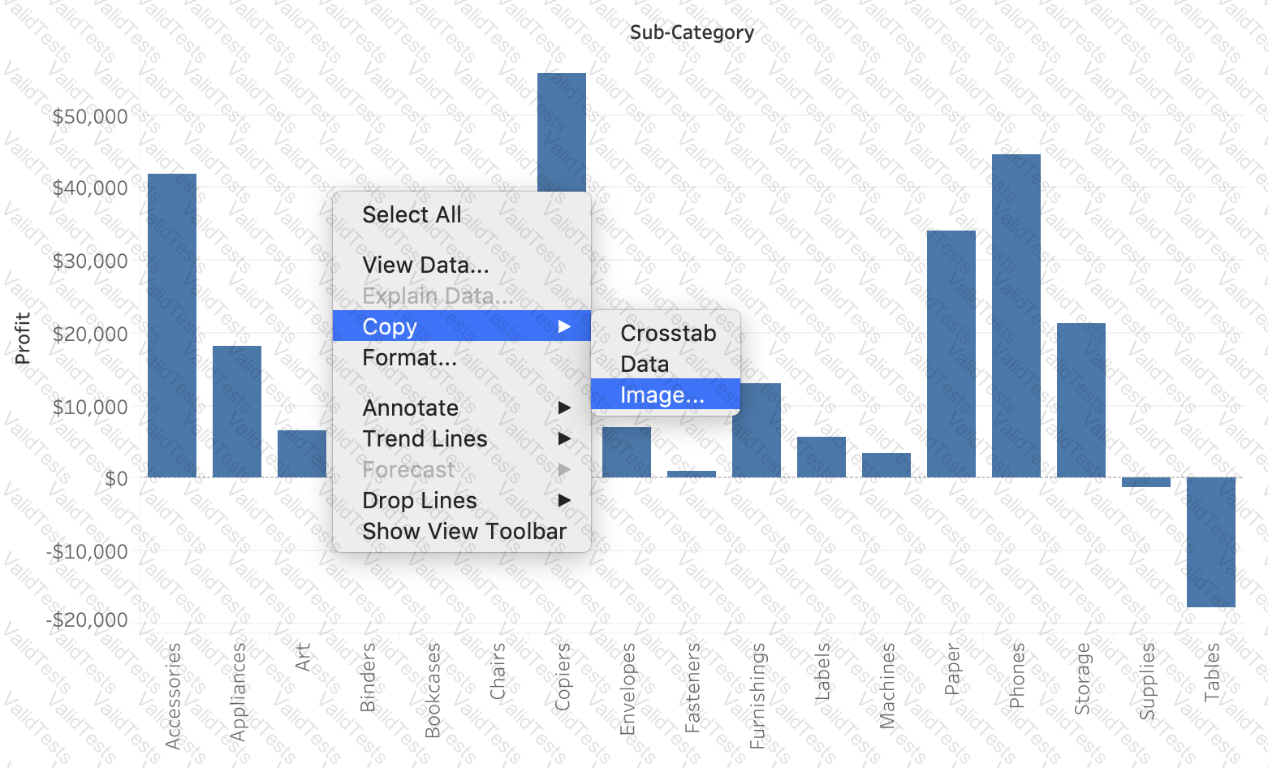
By right clicking on the worksheet visualisation and selecting Copy->Image
Explanation
The following are 2 correct ways to copy the worksheet visualisation as an image:
AND



Submit