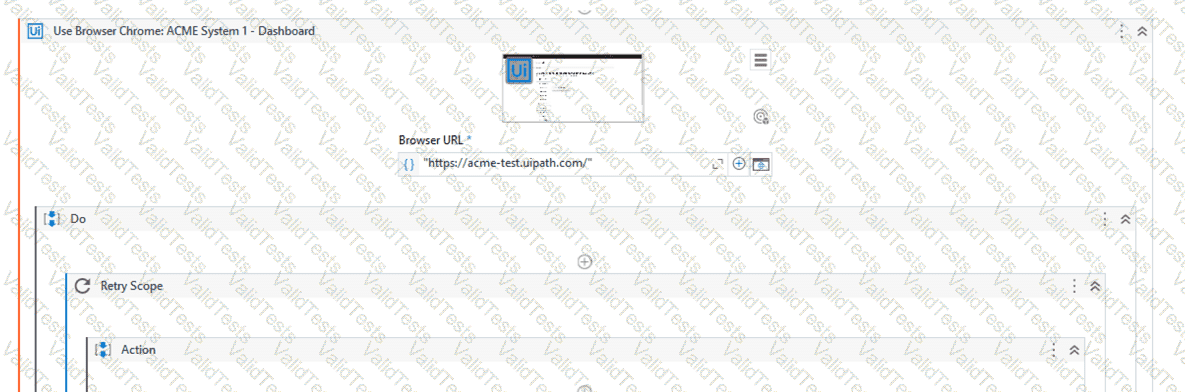
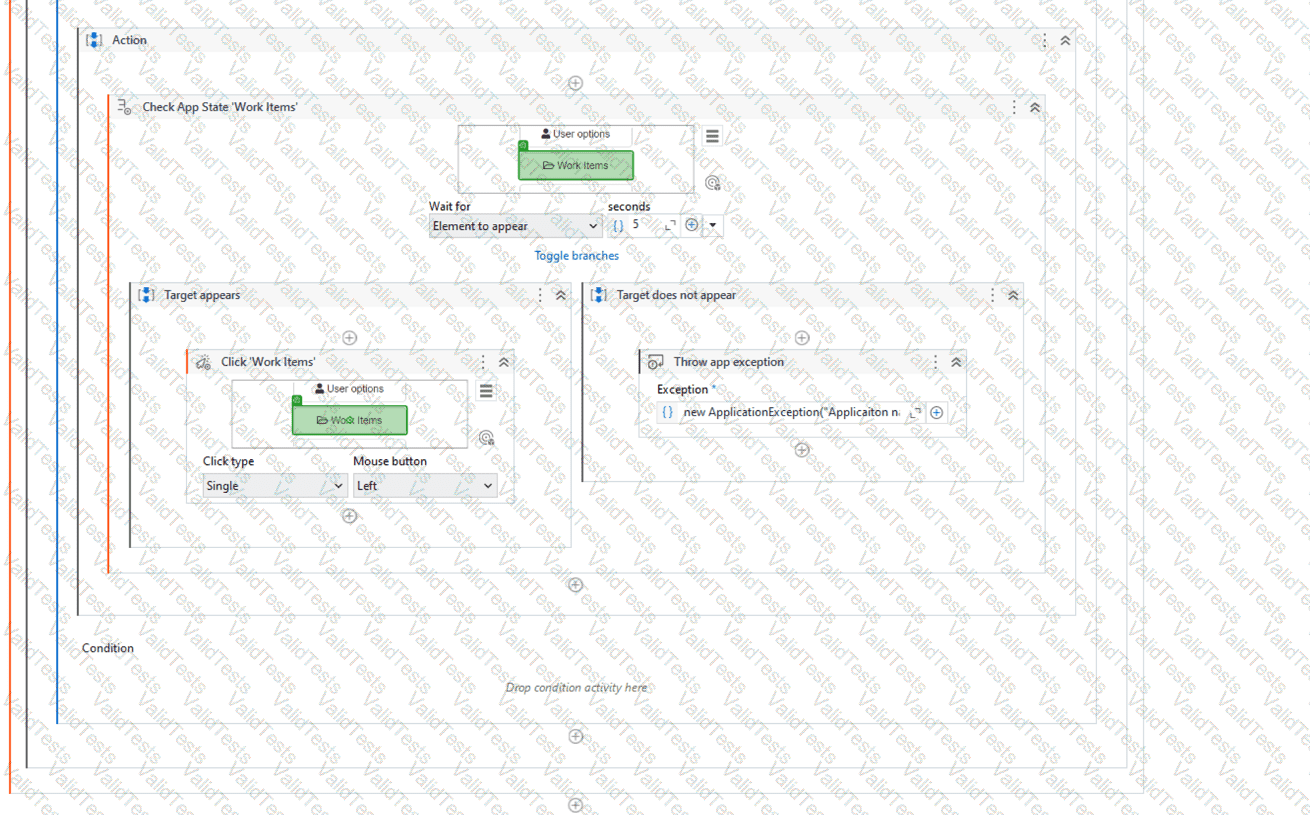
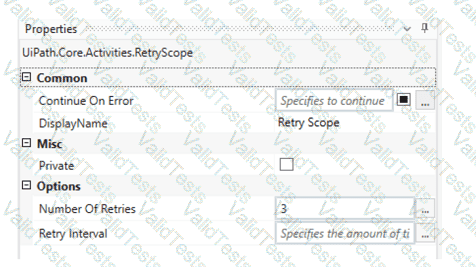
What happens after executing the given sequence if the Work Items button appears on the screen after 8 seconds and the Retry Scope activity has the properties as shown in the picture?
The Retry Scope activity is used to retry the execution of a specific part of the automation in case of an error. In this case, the properties of the Retry Scope activity are set to retry 3 times with an interval of 8 seconds. Therefore, if the Work Items button appears on the screen after 8 seconds, the activity will click on the button. References: [Activities - Retry Scope]
Contribute your Thoughts:
Chosen Answer:
This is a voting comment (?). You can switch to a simple comment. It is better to Upvote an existing comment if you don't have anything to add.



Submit