Task Summary
Create an HPA named apache-server in the autoscale namespace.
Target an existing deployment also named apache-server.
CPU target: 50%
Pod range: min 1, max 4
Downscale stabilization window: 30 seconds
Step-by-Step Answer
???? Step 1: Connect to the correct host
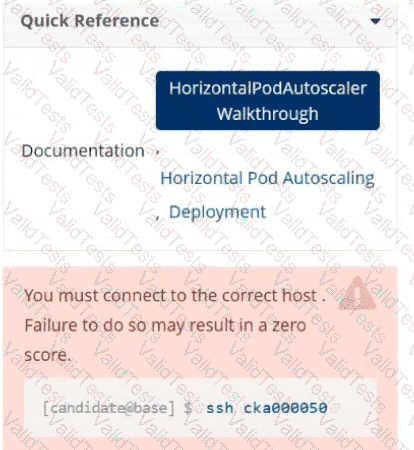
This is critical, as shown in the warning image.
ssh cka000050
???? Skipping this may result in zero for this question!
???? Step 2: Verify the deployment exists
kubectl get deployment apache-server -n autoscale
Make sure it’s there before creating the HPA. If it’s missing, the HPA won't bind correctly.
⚙️ Step 3: Create the HPA
We will use the kubectl autoscale command for a quick setup, then patch it to add the stabilization window (since kubectl autoscale doesn't include it).
kubectl autoscale deployment apache-server \
--namespace autoscale \
--cpu-percent=50 \
--min=1 \
--max=4
???? Step 4: Add the downscale stabilization window
You’ll need to patch the HPA to include the stabilization window of 30s.
Create a patch file called hpa-patch.yaml:
spec:
behavior:
scaleDown:
stabilizationWindowSeconds: 30
Apply the patch:
bash
CopyEdit
kubectl patch hpa apache-server \
-n autoscale \
--patch "$(cat hpa-patch.yaml)"
✅ Step 5: Confirm your work
bash
CopyEdit
kubectl describe hpa apache-server -n autoscale
Look for:
Min/Max Pods: 1/4
Target CPU utilization: 50%
Stabilization window: should appear under Behavior > ScaleDown
ssh cka000050
kubectl get deployment apache-server -n autoscale
kubectl autoscale deployment apache-server \
--namespace autoscale \
--cpu-percent=50 \
--min=1 \
--max=4
# Patch to add stabilization window
cat < hpa-patch.yaml
spec:
behavior:
scaleDown:
stabilizationWindowSeconds: 30
EOF
kubectl patch hpa apache-server -n autoscale --patch "$(cat hpa-patch.yaml)"



Submit