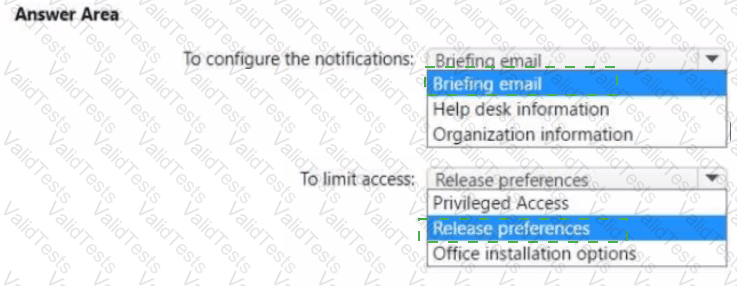
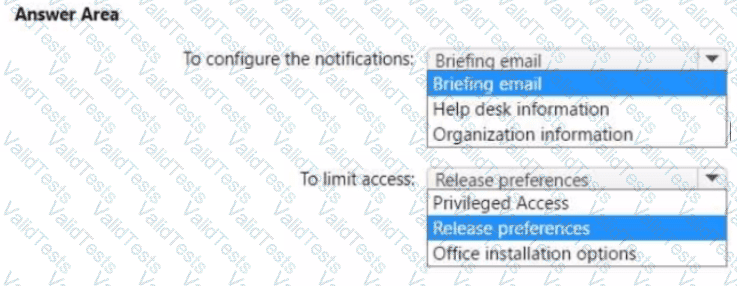
You need to configure the Office 365 service status notifications and limit access to the service and feature updates. The solution must meet the technical requirements.
What should you configure in the Microsoft 365 admin center? To answer, select the appropriate options in the answer area.
NOTE: Each correct selection is worth one point.
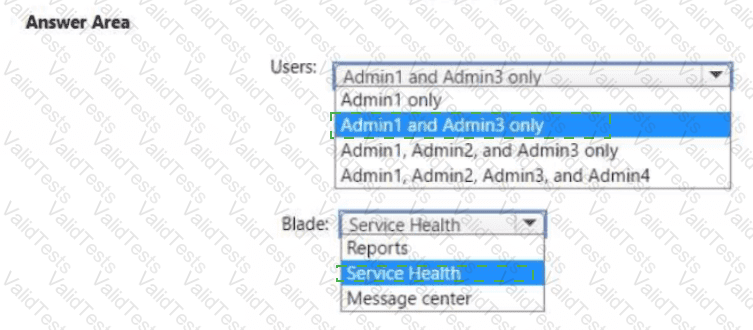
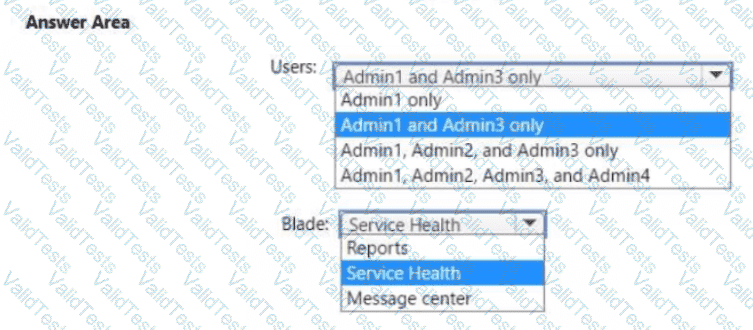
You need to ensure that the Microsoft 365 incidents and advisories are reviewed monthly.
Which users can review the incidents and advisories, and which blade should the users use? To answer, select the appropriate options in the answer area.
NOTE: Each correct selection is worth one point.
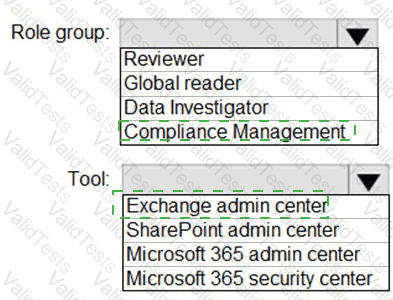
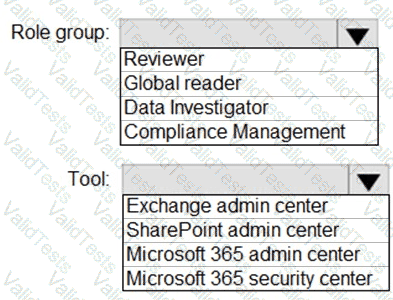
You need to ensure that User2 can review the audit logs. The solutions must meet the technical requirements.
To which role group should you add User2, and what should you use? To answer, select the appropriate options in the answer area.
NOTE: Each correct selection is worth one point.
You need to create the Safe Attachments policy to meet the technical requirements.
Which option should you select?
You create the planned DLP policies.
You need to configure notifications to meet the technical requirements.
What should you do?
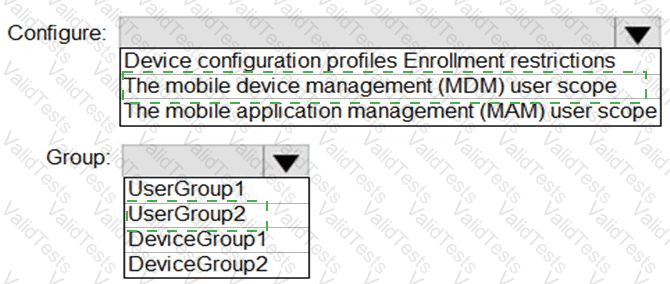
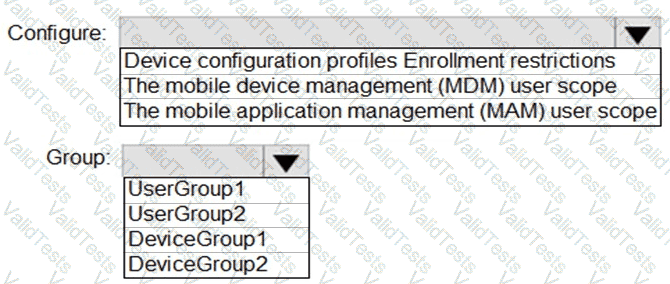
You need to configure automatic enrollment in Intune. The solution must meet the technical requirements.
What should you configure, and to which group should you assign the configurations? To answer, select the appropriate options in the answer area.
NOTE: Each correct selection is worth one point.
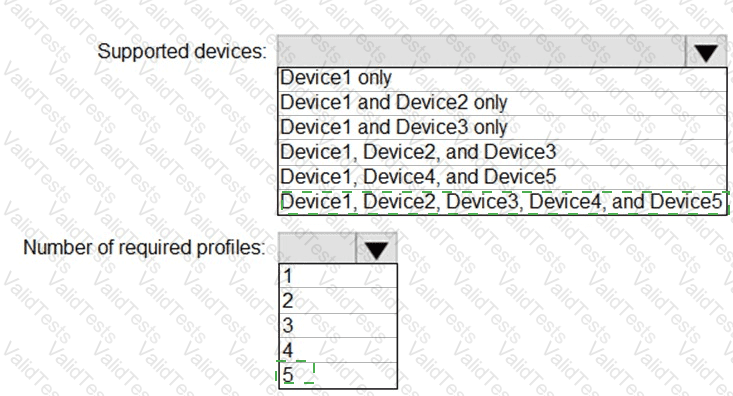
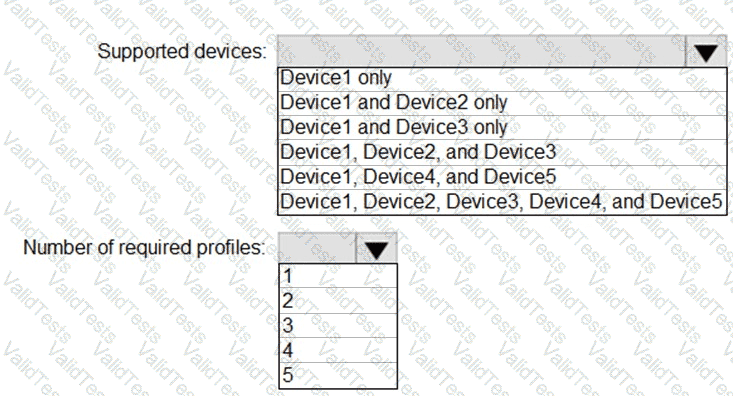
You plan to implement the endpoint protection device configuration profiles to support the planned changes.
You need to identify which devices will be supported, and how many profiles you should implement.
What should you identify? To answer, select the appropriate options in the answer area.
NOTE: Each correct selection is worth one point.
You need to create the DLP policy to meet the technical requirements.
What should you configure first?
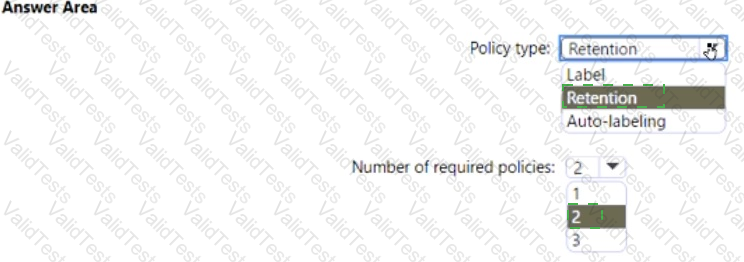
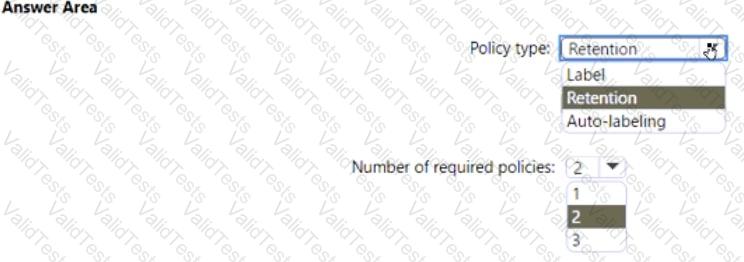
You need to configure the information governance settings to meet the technical requirements.
Which type of policy should you configure, and how many policies should you configure? To answer, select the appropriate options in the answer area.
NOTE: Each correct selection is worth one point.
You need to configure the compliance settings to meet the technical requirements.
What should you do in the Microsoft Endpoint Manager admin center?
You need to configure Office on the web to meet the technical requirements.
What should you do?
You need to recommend a solution for the security administrator. The solution must meet the technical requirements.
What should you include in the recommendation?
Which report should the New York office auditors view?
You need to meet the technical requirement for the EU PII data.
What should you create?
You need to meet the technical requirement for the SharePoint administrator. What should you do? To answer, select the appropriate options in the answer area. NOTE: Each correct selection is worth one point.