You need to configure the device redirection settings. The solution must meet the technical requirements.
Where should you configure the settings?
Which users can create Pool4, and which users can join session hosts to the domain? To answer, select the appropriate options in the answer area.
NOTE: Each correct selection is worth one point.

You have an Azure Virtual Desktop deployment.
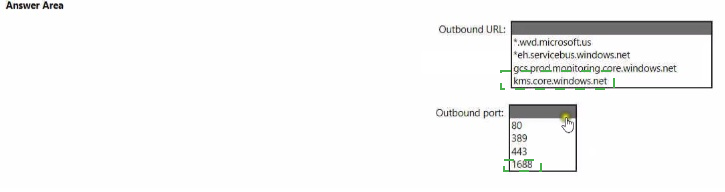
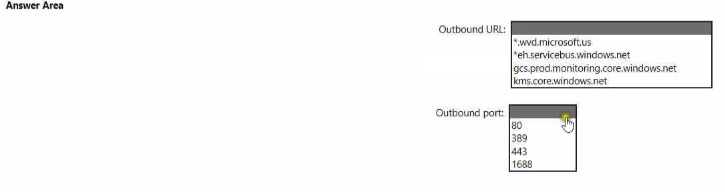
You are configuring the outbound firewall settings for the host pool.
Which outbound URL and outbound port should you configure to ensure that the host machines maintain Windows activation? To answer, select the appropriate options In the answer area.
NOTE: Each correct selection is worth one point.
You have an Azure Virtual Desktop deployment.
You plan to use a Conditional Access policy to enforce multi-factor authentication (MFA) when users connect to the deployment. The solution must meet the following requirements:
• Enforce MFA when a user connects to Azure Virtual Desktop by using a subscription feed.
• Enforce MFA when a user authenticates to a session host that has single sign-on (SSO) enabled.
You need to identify which cloud apps to use for the Conditional Access policy.
Which app should you use for each requirement? To answer, drag the appropriate apps to the correct requirements. Each app may be used once, more than once, or not at all. You may need to drag the split bar between panes or scroll to view content.
NOTE: Each correct selection is worth one point.

You have an Azure storage account that contains the generalized Windows 10 disk images shown in the following table.
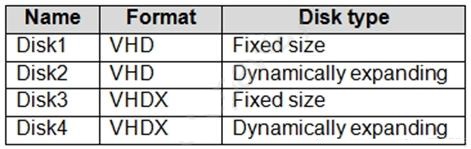
You need to create an image that will be used to deploy an Azure Virtual Desktop session host.
Which disk should you use?
You have an Azure Virtual Desktop personal host pool named Pool1 that contains 20 Azure AD-joined session hosts.
You need to ensure that only approved virtual machine extensions are installed on the Pool 1 session hosts. The solution must minimize administrative effort.
What should you use?
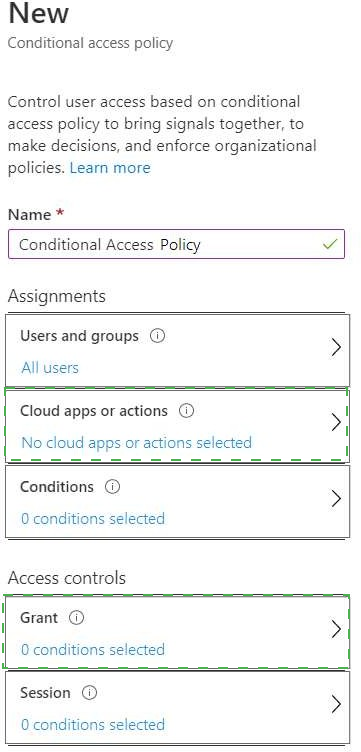
You have a Windows Virtual Desktop deployment.
You need to ensure that all the connections to the managed resources in the host pool require multi-factor authentication (MFA).
Which two settings should you modify in a conditional access policy? To answer, select the appropriate options in the answer area.
NOTE: Each correct selection is worth one point.
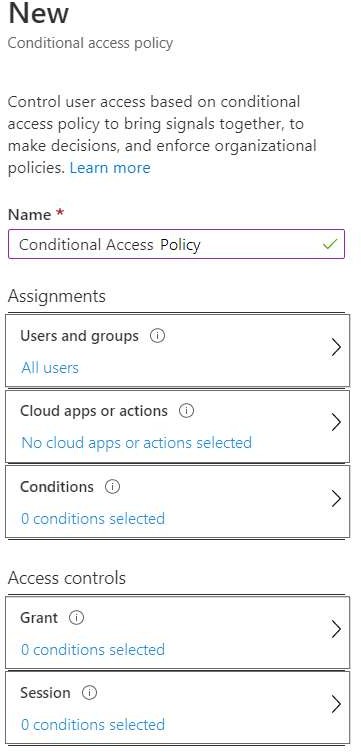
You network contains an on-premises Active Directory domain. The domain contains a universal security group named WVDusers.
You have a hybrid Azure Active Directory (Azure AD) tenant. WVDusers syncs to Azure AD.
You have a Windows Virtual Desktop host pool that contains four Windows 10 Enterprise multi-session hosts.
You need to ensure that only the members of WVDusers can establish Windows Virtual Desktop sessions to the host pool.
What should you do?
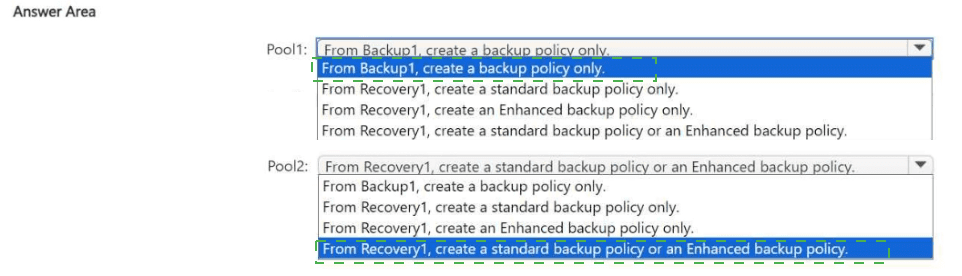
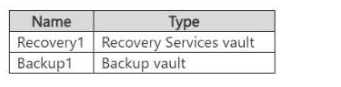
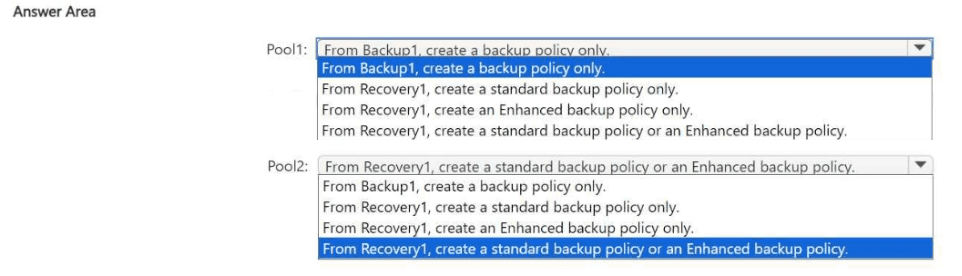
You have an Azure subscription that contains the vaults shown in the following table.
You have an Azure Virtual Desktop deployment that contains the host pools shown in the following table.
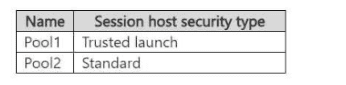
You need to back up all the session hosts in Pool1 and Pool2.
What should you do for each pool? To answer, select the appropriate options in the answer area.
NOTE: Each correct selection is worth one point.
You have a Azure Virtual Desktop host pool named Pool1 that is integrated with an Azure Active Directory Domain Services (Azure AD DS) managed domain.
You need to configure idle session timeout settings for users that connect to the session hosts in Pool 1.
Solution: From the Azure portal you modify the Advanced settings in the RDP Properties of Pool1.
Does This meet the goal?