How can a process be converted from a toreground process to a background process?
In a UiPath development scenario, which type of process design would be the most appropriate for an automation task that executes actions in a straightforward progression without iteration or branching?
A developer intends to enter text into an input field using a combination of a string and a hotkey. The input action should take place within a hidden or minimized window.
Which input method(s) can be used individually for the Type Into activity?
In UiPath Studio, how can a specific amount of time be subtracted from the current date using DateTime and TimeSpan variables in the VB.NET?
A developer has designed a Performer process using the REFramework template in UiPath Studio. The process is published to an Orchestrator folder named "FolderA" and a job is created in Orchestrator from the package. The value of the OrchestratorQueueName setting in "Config.xlsx" is "QueueA" and the value of OrchestratorQueueFolder is "FolderA".
The developer runs the job from Orchestrator with the following argument values:
in_OrchestratorQueueName = "QueueB" in_OrchestratorOueueFolder = empty value
Which queue will be consumed by the robot?
Which of the following sections are part of the Final State in a State Machine?
A developer has defined a variable named "CurrentDate" of type Date Time. Which of the following expressions can be used to show what hour was 12 hours prior to the date
from the variable?
Which of the following describes the correct hierarchy of the elements in the Object Repository tree structure?
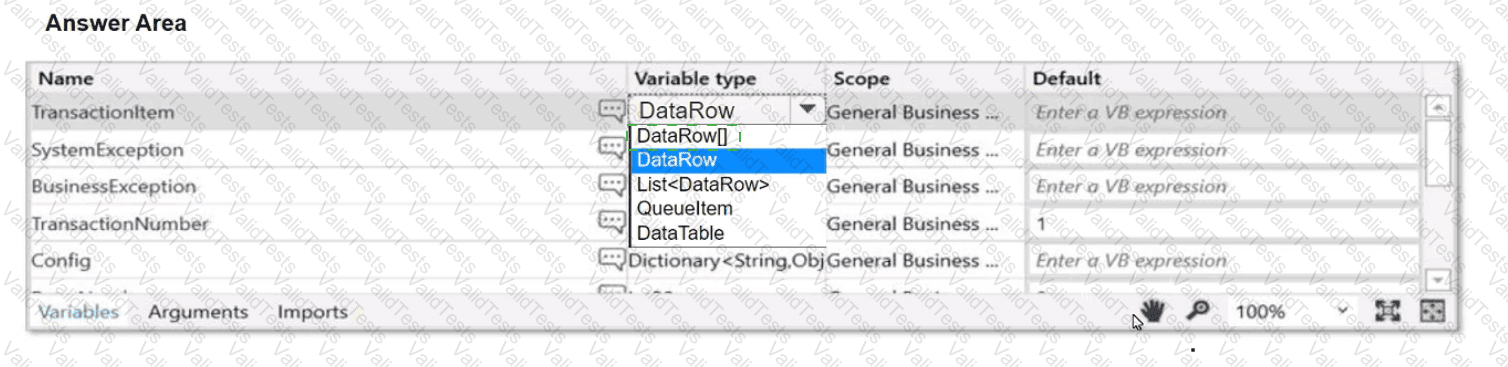
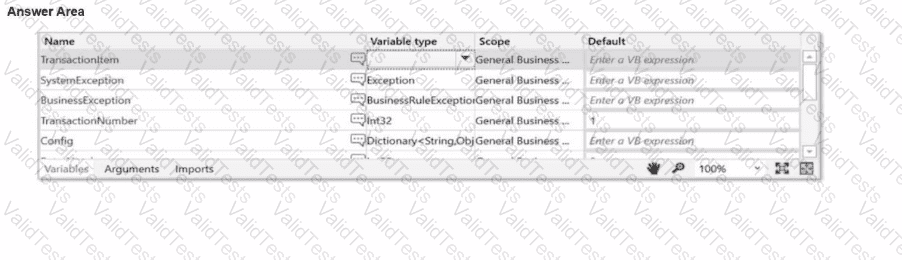
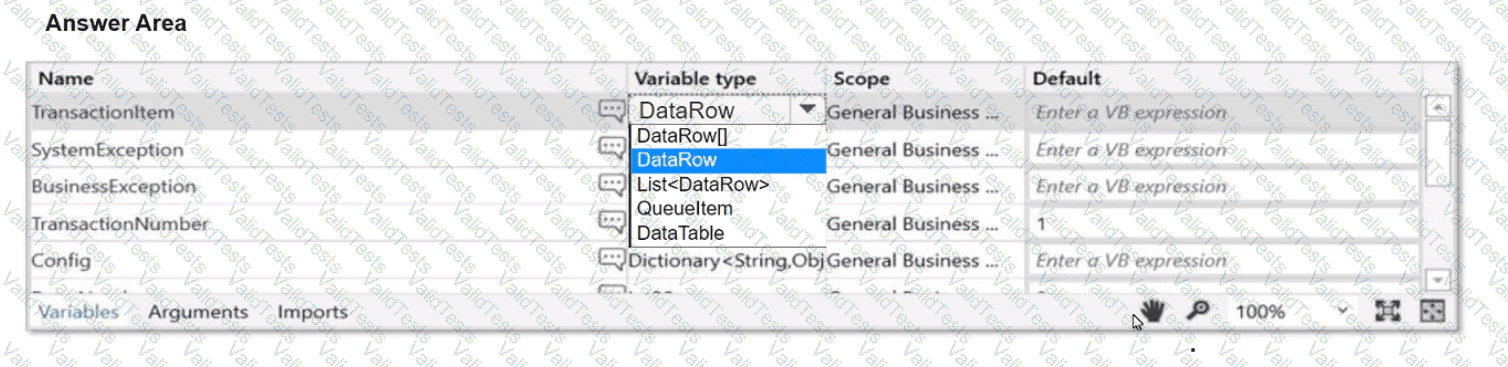
A developer aims to employ the REFramework for automating a business process that Involves a TransactionData collection (DataTable) comprising vendor names and addresses.
Instructions: Choose the appropriate variable type for the Transactionltem from the provided drop-down list in the following exhibit.
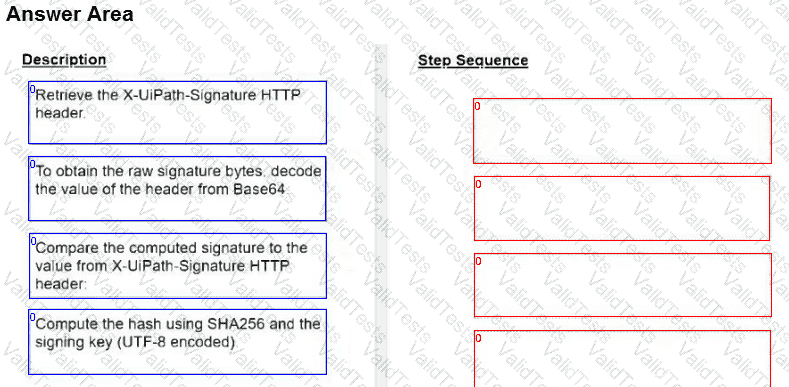
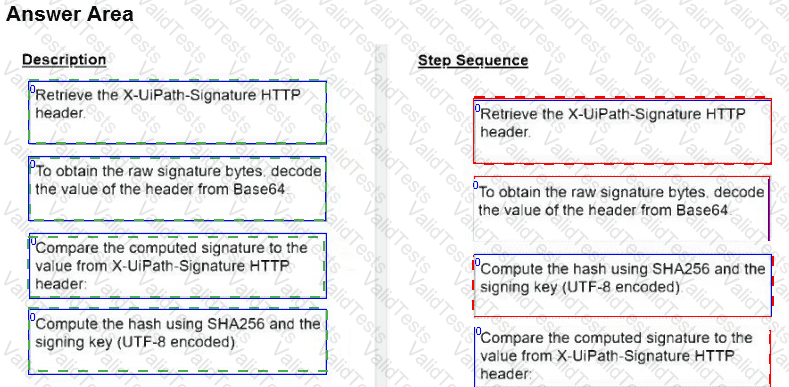
How should the computation of the signature be done for client apps that receive Orchestrator requests and need to check their authenticity?
Instructions: Drag the Description found on the left and drop on the correct Step Sequence found on the right.