Pre-Summer Special Limited Time 70% Discount Offer - Ends in 0d 00h 00m 00s - Coupon code: validbest

Pass the Apple Certified Support Professional Apple-Device-Support Questions and answers with ValidTests

Exam Apple-Device-Support All Questions
Exam Apple-Device-Support Premium Access

View all detail and faqs for the Apple-Device-Support exam

Viewing page 4 out of 7 pages
Viewing questions 31-40 out of questions
Questions # 31:

Which setting should you check to find out if ACME manages her iPhone?

Options:

A.

Privacy & Security > Device Management

B.

Control Center > Device Profile

C.

General > Software Update

D.

General > VPN & Device Management

E.

General > Profile & Device Management

Expert Solution
Questions # 32:

How many fingerprints can you register to a single user on your Mac?

Options:

A.

Three

B.

One

C.

Five

D.

Ten

Expert Solution
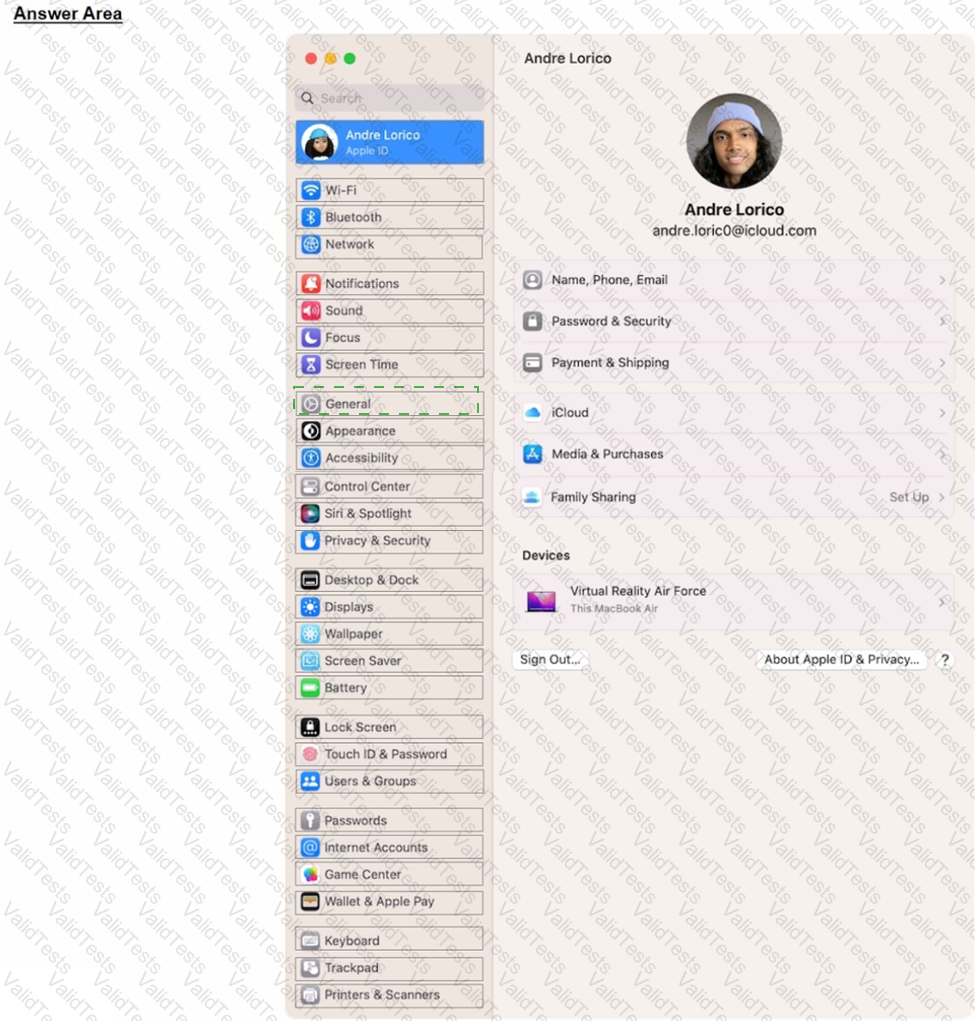
Questions # 33:

Scenario:

Ozzy contacted you about issues obtaining 5G service on his iPhone. You confirmed that his device is compatible with the carrier's 5G service, in a coverage area, and using the latest version of iOS. The carrier's support website indicates that a carrier settings update is needed to fully support its 5G service.

Where in Settings should you go to manually check for carrier settings updates on iPhone?
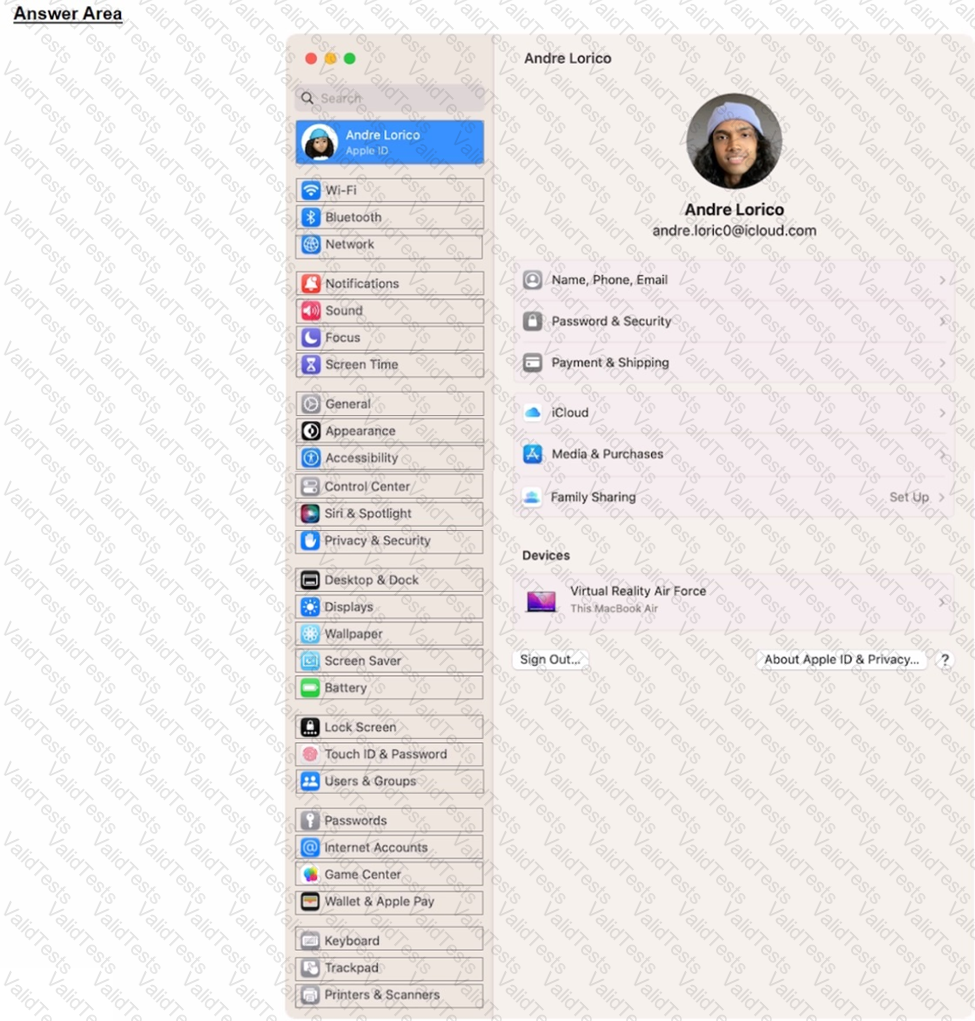
Question # 33

Options:

Expert Solution
Questions # 34:

Which macOS and iPadOS feature lets you use your iPad to extend or mirror the display on your Mac?

Options:

A.

Universal Control

B.

Screen Sharing

C.

Sidecar

D.

Stage Manager

Expert Solution
Questions # 35:

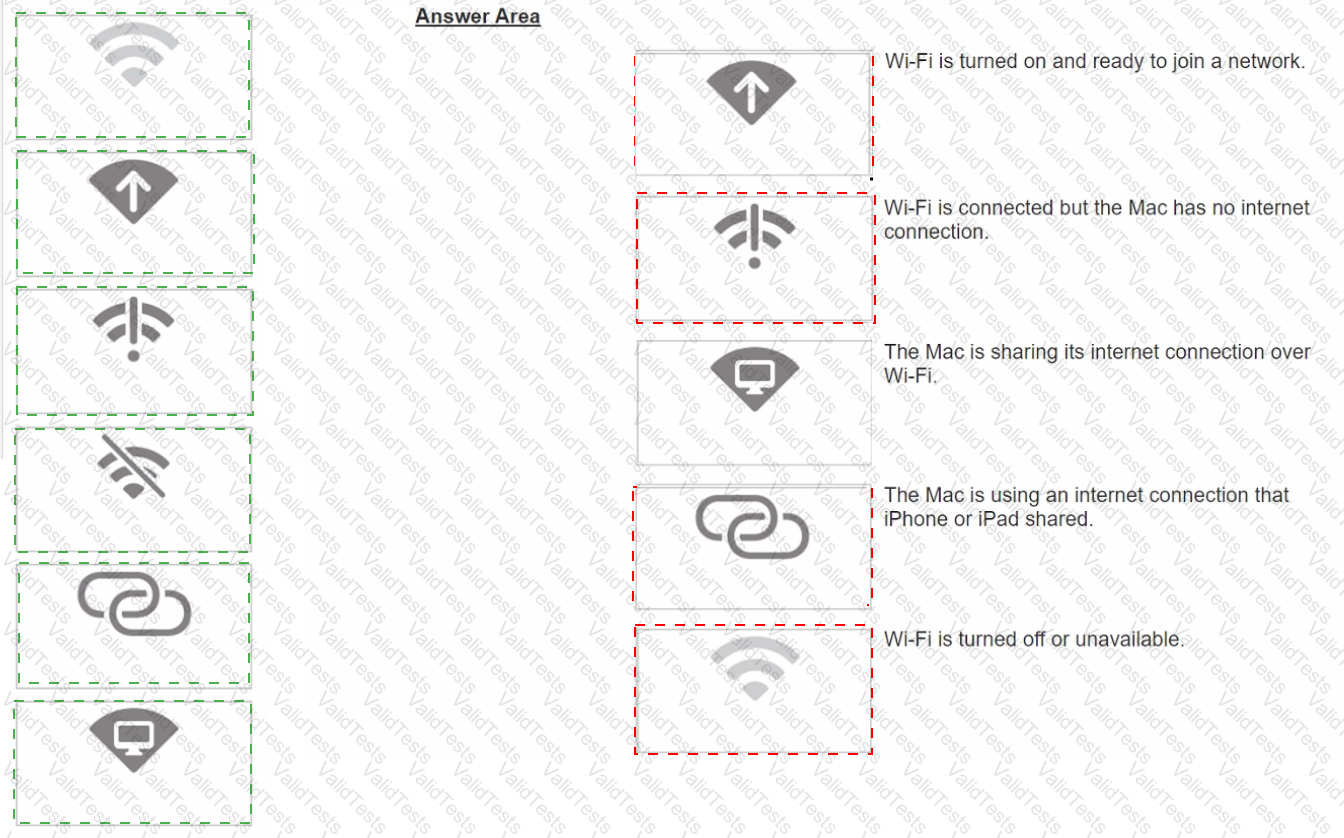
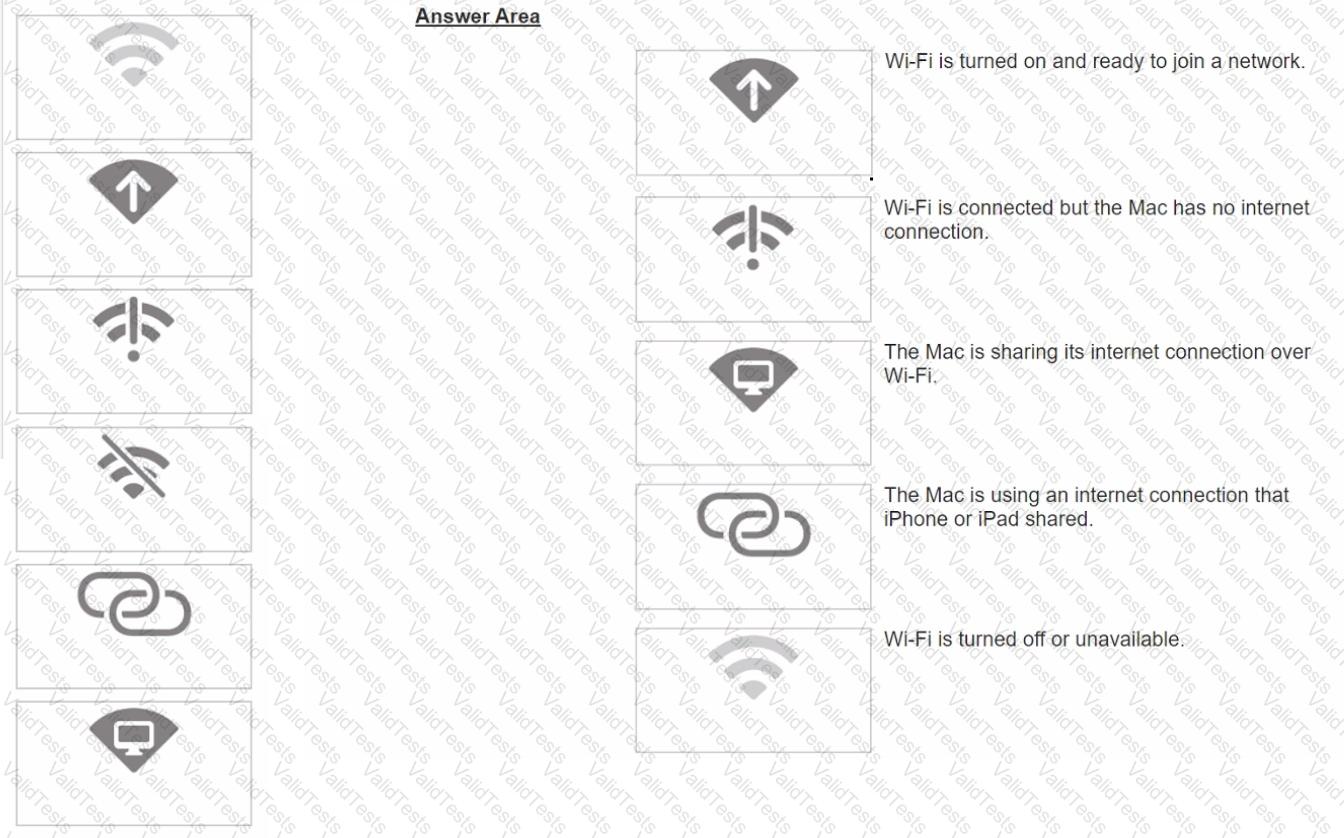
Match the Wi-Fi menu bar icons on the left to the descriptions on the right by dragging the responses to the correct target areas. Responses may be used once, more than once, or not at all.
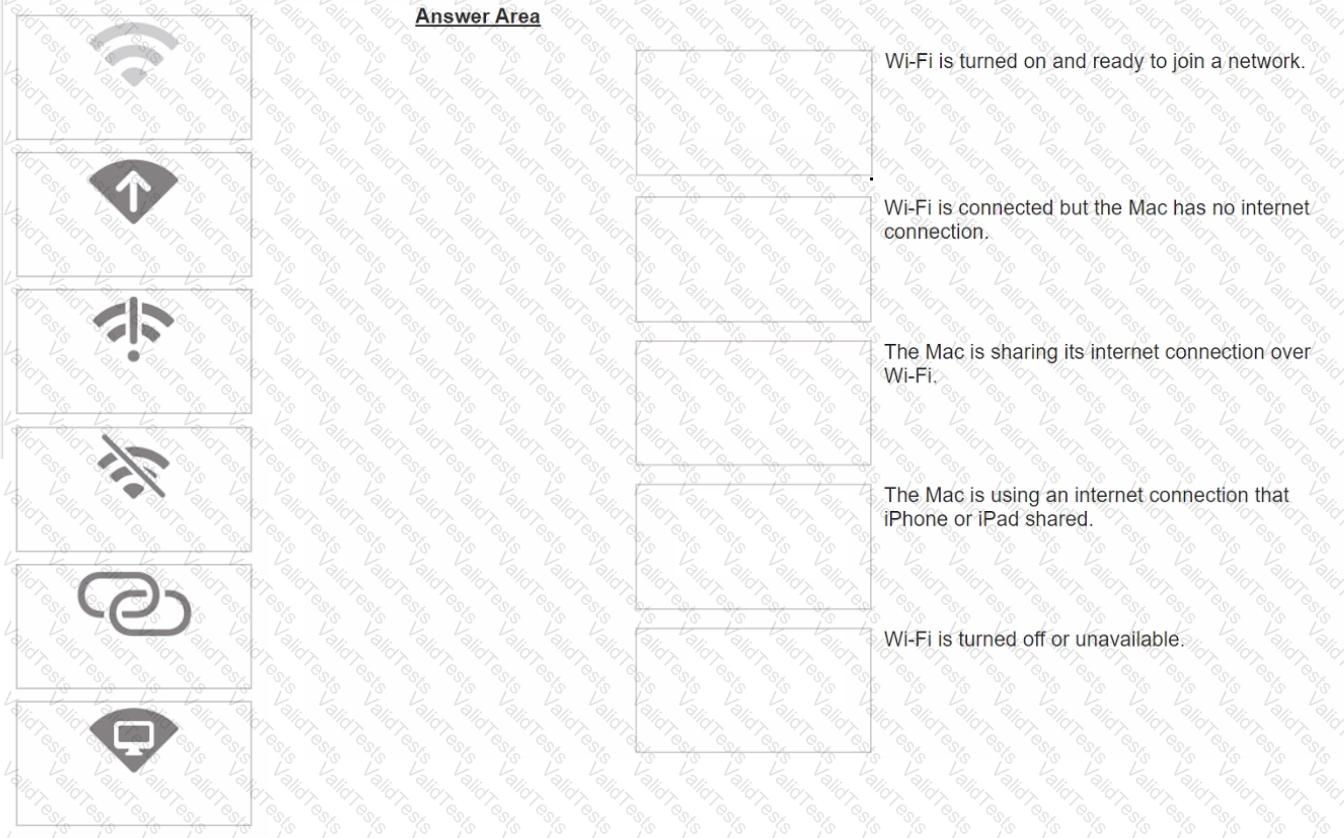
Question # 35

Options:

Expert Solution
Questions # 36:

How do you start up in safe mode on a Mac with Apple silicon?

Options:

A.

1. Shut down your Mac, Turn on your Mac and continue to press and hold the power button. O A. 2. When the startup options window appears, release the power button.

3. Select your startup disk, press and hold the Shift key, click Continue in Safe Mode, then release the Shift key.

4. Log in to your Mac.

B.

1. Connect to power, then shut down your Mac. B. 2. Press and hold the power button for three seconds, then remove power for at least 10 seconds.

3. Wait for the Continue in Safe Mode button to appear.

4. Log in to your Mac.

C.

1. Shut down your Mac. then quickly press the power button three times. O C. 2. Wait until the startup options window appears.

3. Select your startup disk, then press and hold the Shift key until the Continue in Safe Mode button appears

4. Continue to press and hold the Shift key until the Login window appears or you're asked to log in again.

D.

1. Shut down your Mac, then press and hold the power button for three seconds.

2. When the startup options window appears, select your startup disk.

3. Click the Continue in Safe Mode button.

4. Log in to your Mac.

Expert Solution
Questions # 37:

Which four storage formats can the Files app read and write to on iPhone and iPad devices?

Options:

A.

MS-DOS (FAT)

B.

Mac OS Extended (HFS+)

C.

NTFS

D.

APFS

E.

ExFAT

F.

ZFS

Expert Solution
Questions # 38:

Use this image to answer the question.
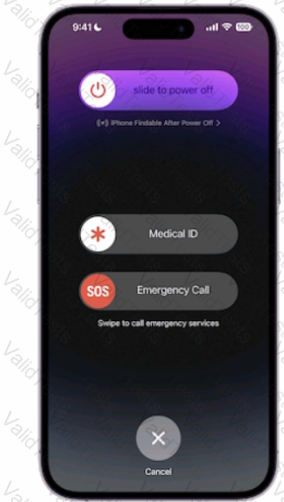
Question # 38

How do you get to this screen on iPhone?

Options:

A.

Press and hold the side button and one of the volume buttons until the Emergency SOS slider appears.

B.

Press the side button then one of the volume buttons. The Emergency Call slider appears.

C.

Rapidly press the volume up button five times. The Emergency Call slider appears.

D.

Press and hold the side button, then drag the Emergency Call slider to call emergency services.

Expert Solution
Questions # 39:

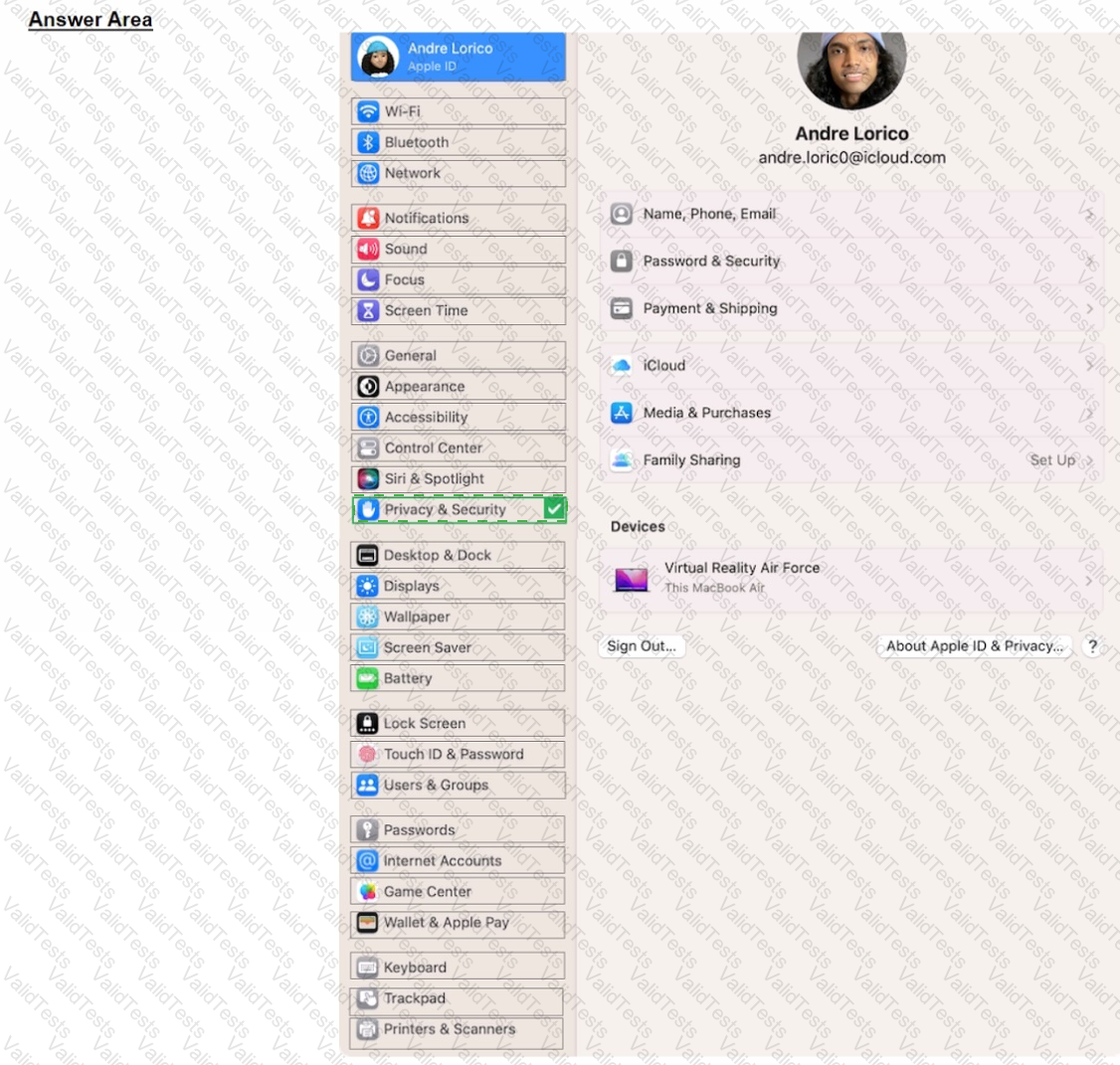
Select the setting in the sidebar that you should use to turn on FileVault.
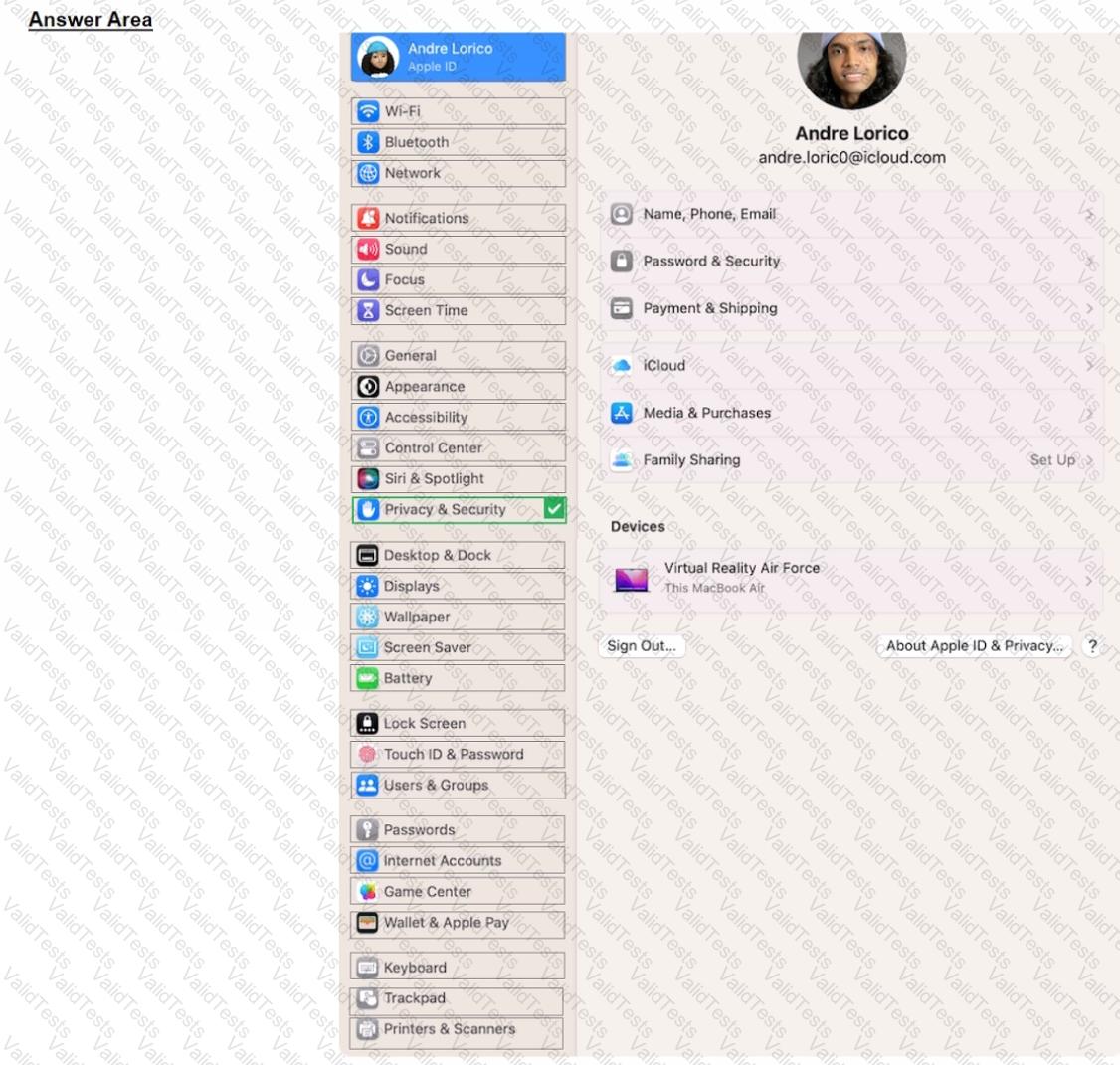
Question # 39

Options:

Expert Solution
Questions # 40:

Files App, what storage format does it support?

Options:

A.

EX-FAT

B.

NTFS

C.

MS-DOS (FAT)

D.

Mac OS Extended

E.

APFS

Expert Solution
Viewing page 4 out of 7 pages
Viewing questions 31-40 out of questions