You have a Microsoft 365 E5 subscription.
All Windows devices are enrolled in Microsoft Intune.
You need to deploy the Remote Help app to all the devices.
The solution must minimize administrative effort.
Which type of app should you deploy?
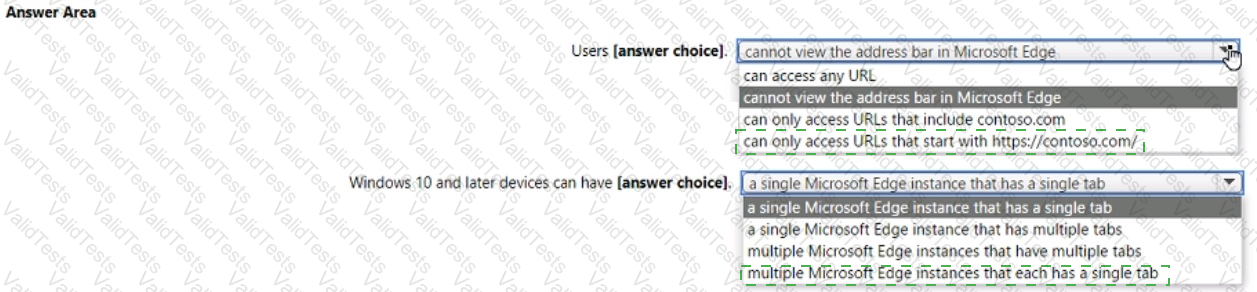
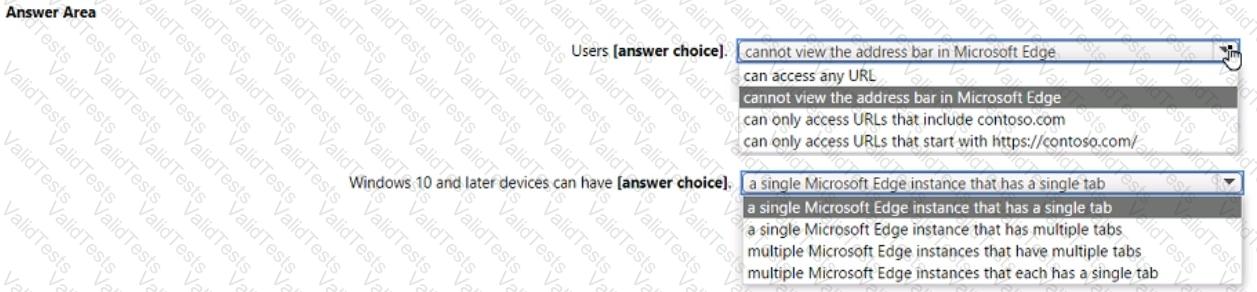
You have the device configuration profile shown in the following exhibit.
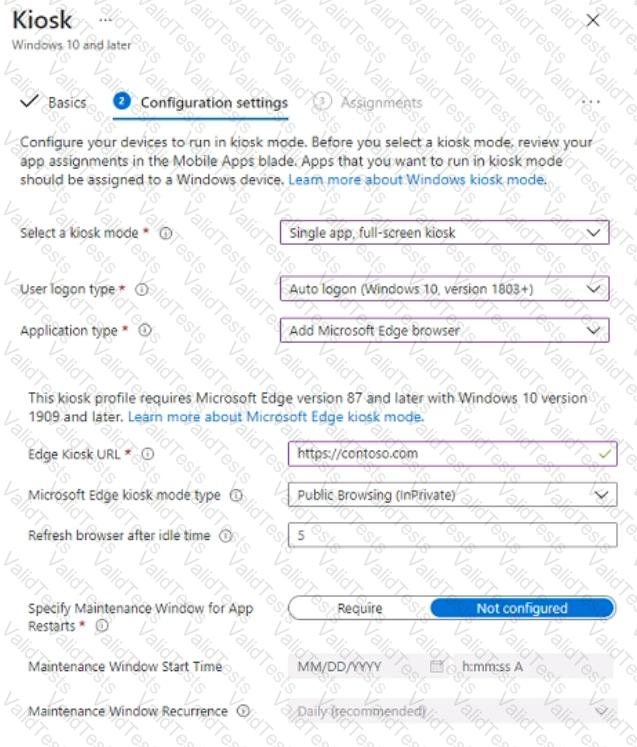
Use the drop-down menus to select the answer choice that completes each statement based on the information presented in the graphic. NOTE: Each correct selection is worth one point.
You have a Microsoft 365 tenant that uses Microsoft Intune.
You use the Company Portal app to access and install published apps to enrolled devices.
From the Microsoft Intune admin center, you add a Microsoft Store app.
Which two App information types are visible in the Company Portal?
NOTE: Each correct selection is worth one point.
You have a Microsoft 365 subscription and use Microsoft Intune.
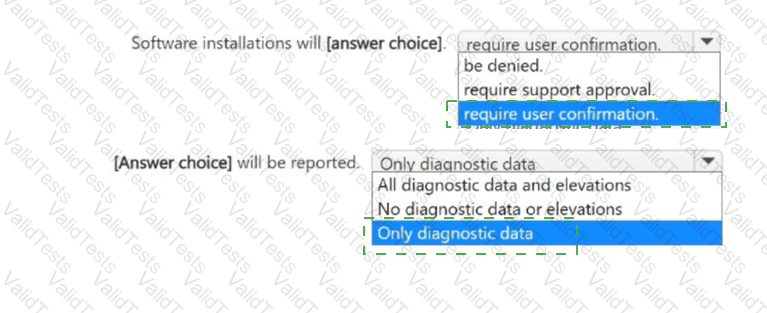
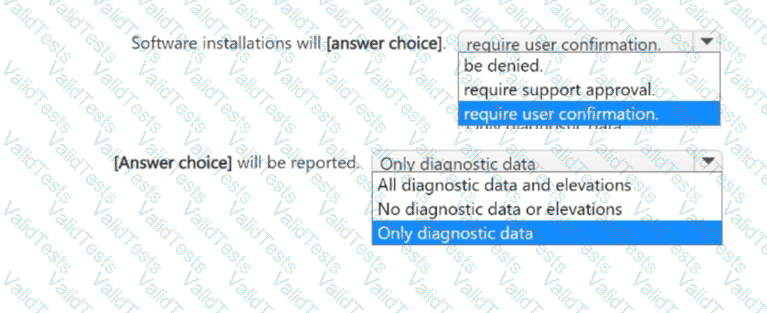
You have the Endpoint Privilege Management (EPM) elevation settings policy shown in the following exhibit.
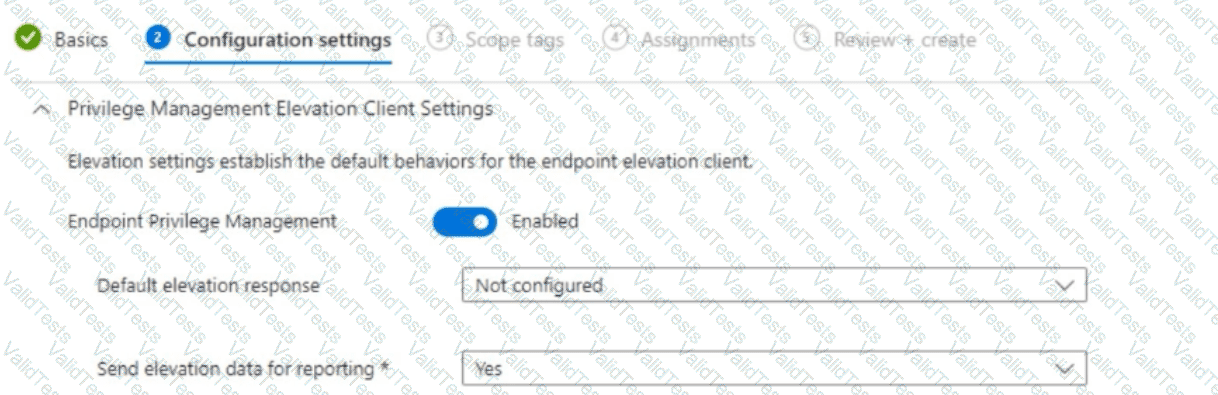
No EPM elevation rules policies are configured.
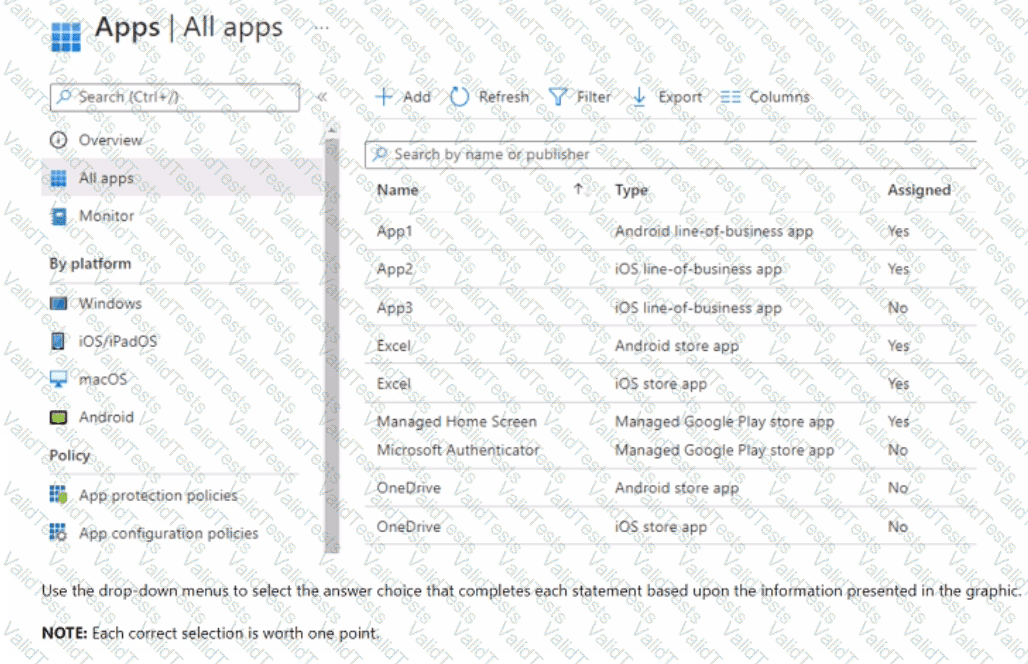
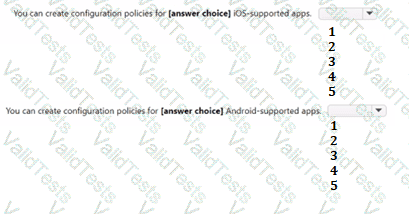
Use the drop-down menus to select the answer choice that completes each statement based on the information presented in the graphic.
NOTE: Each correct selection is worth one point.
You have a Microsoft 365 ES subscription that uses Microsoft Intune.
You have the apps shown in the following exhibit.
You have devices enrolled in Microsoft Intune as shown in the following table.
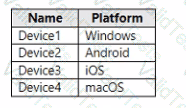
For which devices can you manage updates by using intune?
You have a Microsoft 365 subscription that contains 1.000 Windows 11 devices enrolled in Microsoft Intune. You plan to use Intune to deploy an application named App1 that contains multiple installation files.
What should you do first?
Your network contains an Active Directory Domain Services (AD DS) domain. The domain contains 100 client computers that run Windows 10.
Currently, your company does NOT have a deployment infrastructure.
The company purchases Windows 11 licenses through a volume licensing agreement.
You need to recommend how to upgrade the computers to Windows 11. The solution must minimize licensing costs.
What should you include in the recommendation?
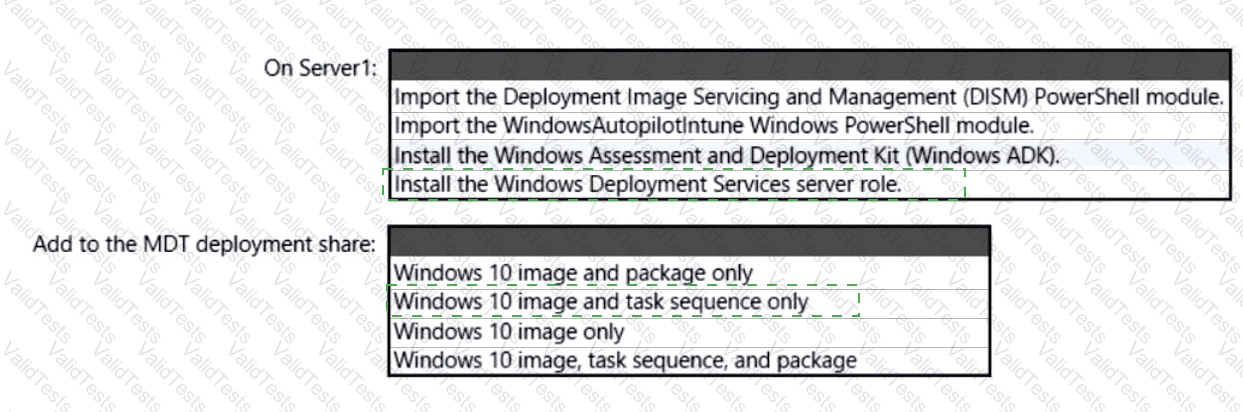
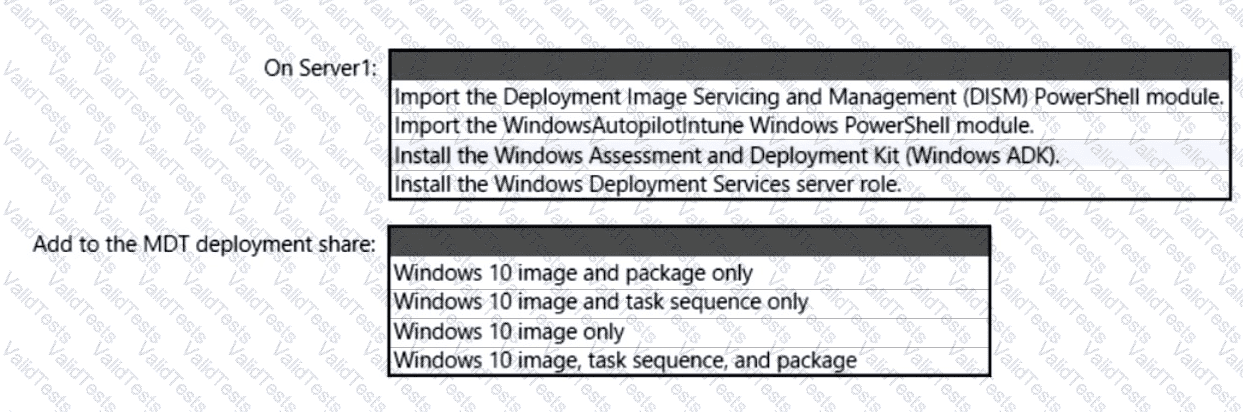
You have a server named Server1 and computers that run Windows 8.1. Server1 has the Microsoft Deployment Toolkit (MDT) installed.
You plan to upgrade the Windows 8.1 computers to Windows 10 by using the MDT deployment wizard.
You need to create a deployment share on Server1.
What should you do on Server1, and what are the minimum components you should add to the MDT deployment share? To answer, select the appropriate options in the answer area.
NOTE: Each correct selection is worth one point.
You have a Microsoft 365 subscription that uses Microsoft Intune Suite.
You use Microsoft Intune to deploy and manage Windows devices.
You have 100 devices from users that left your company.
You need to repurpose the devices for new users by removing all the data and applications installed by the previous users. The solution must minimize administrative effort.
What should you do?