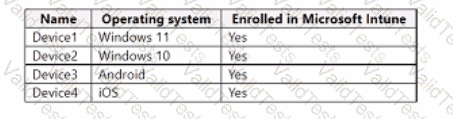
You have a Microsoft 365 E5 subscription that contains the devices shown in the following table.
All devices have Microsoft Edge installed.
From the Microsoft Intune admin center, you create a Microsoft
You need to apply Edge1 to all the supported devices.
To which devices should you apply Edge1?
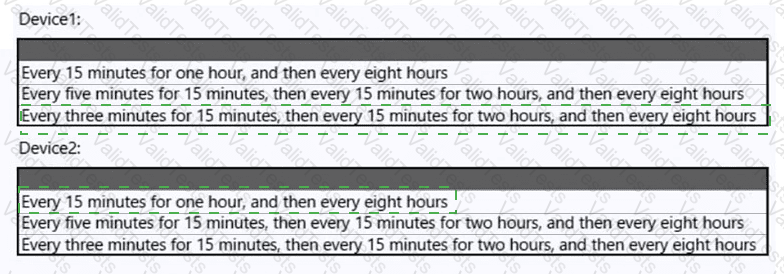
You have a Microsoft 365 subscription that contains the devices shown in the following table.
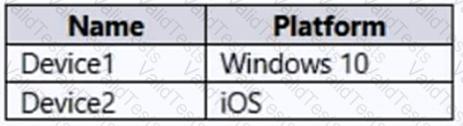
You plan to enroll the devices in Microsoft Intune.
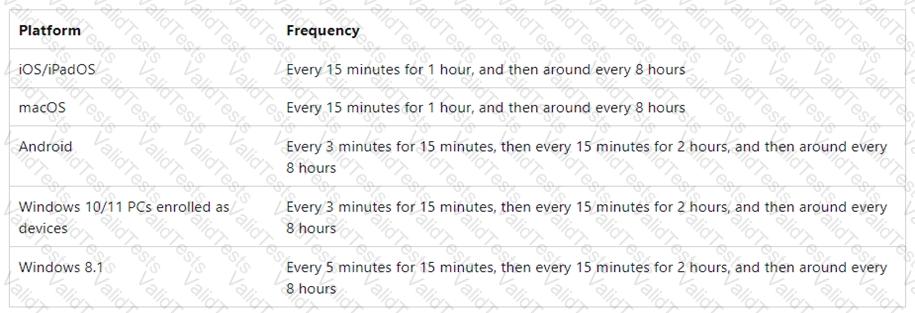
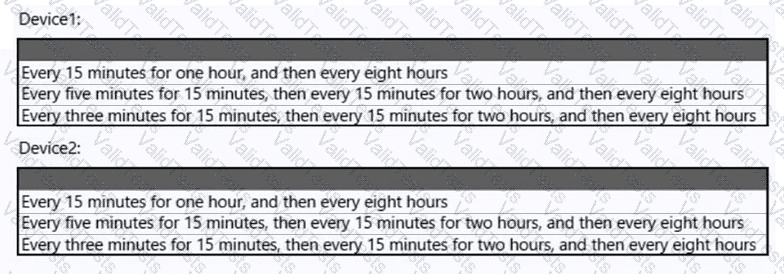
How often will the compliance policy check-ins run after each device is enrolled in Intune? To answer, select the appropriate options in the answer area.
NOTE: Each correct selection is worth one point.
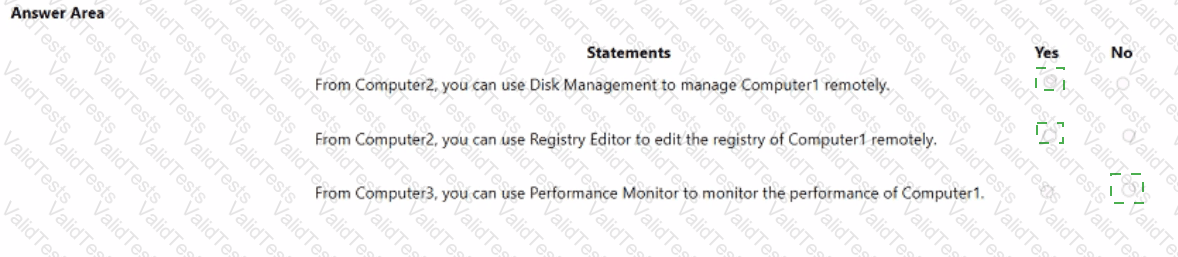
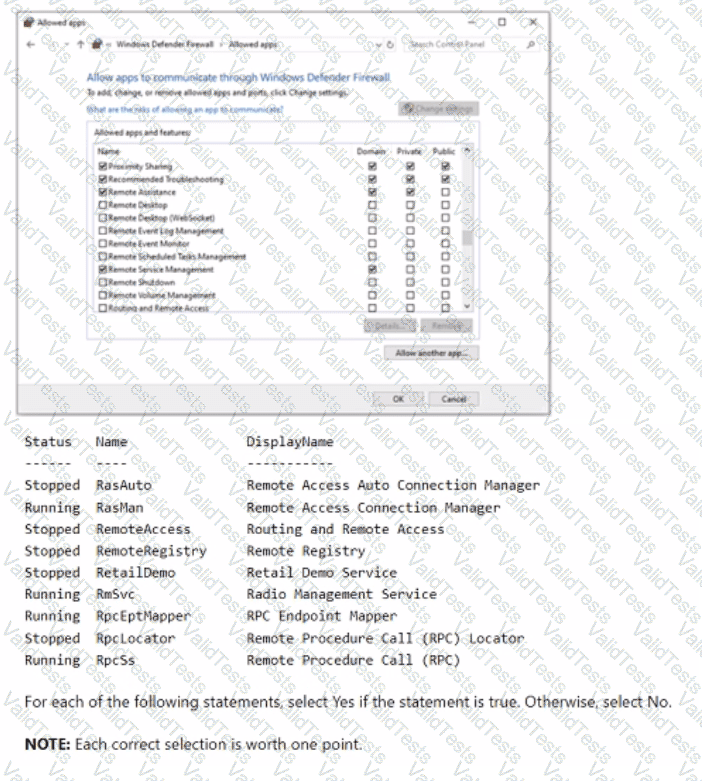
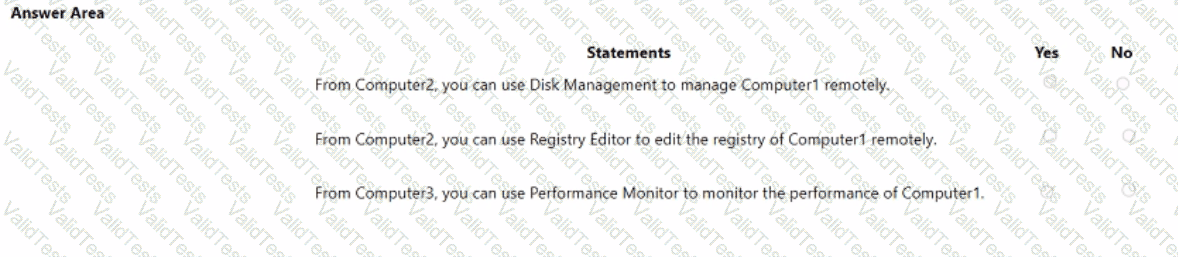
Your network contains an Active Directory domain named adatum.com, a workgroup, and computers that run Windows 10. The computers are configured as shown in the following table.
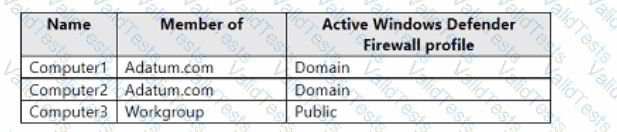
The local Administrator accounts on Computed, Computed, and Computed have the same user name and password.
On Computed. Windows Defender Firewall is configured as shown in the following exhibit.
You have a Microsoft 365 subscription.
You use Microsoft Intune to manage devices.
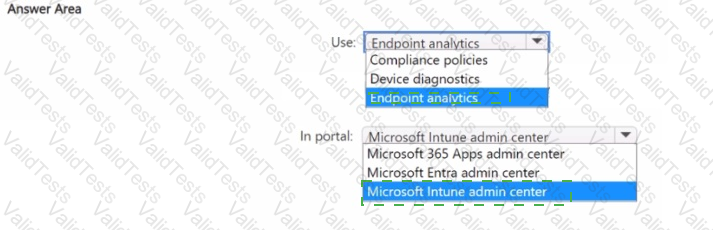
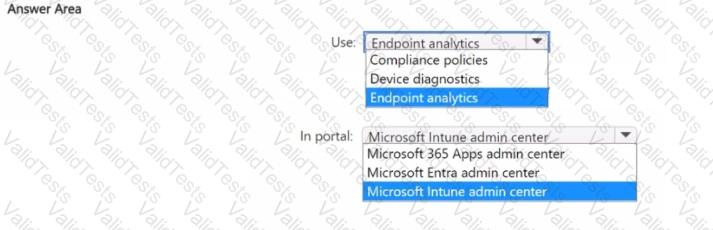
You need to assess device performance during startup and identify any device models that take longer than average to start.
What should you use to assess the device performance, and which portal should you use? To answer, select the appropriate options in the answer area.
NOTE: Each correct selection is worth one point.
You have a Microsoft 365 E5 subscription. All Windows devices are enrolled in Microsoft Intune.
You need to create an app protection policy named Policy1 and apply Policy1 to the devices. What can you protect by using Policy1?
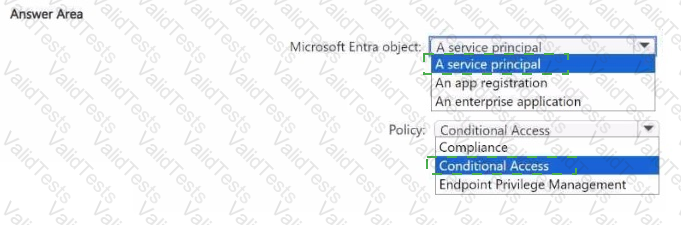
You have a Microsoft 365 E5 subscription that includes Microsoft Intune. The subscription contains a group named Group! Group1 contains devices enrolled in Intune.
You deploy Remote Help in Intune.
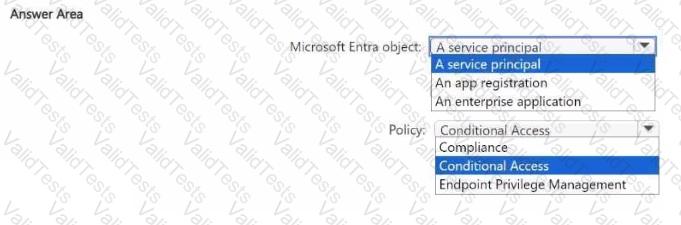
You need to configure Remote Help to only allow support administrators to join Remote Help sessions from the devices in Group1.
Which type of Microsoft Entra object should you create, and which type of policy should you configure7 To answer, select the appropriate options in the answer area.
NOTE: Each correct selection is worth one point.
 devices
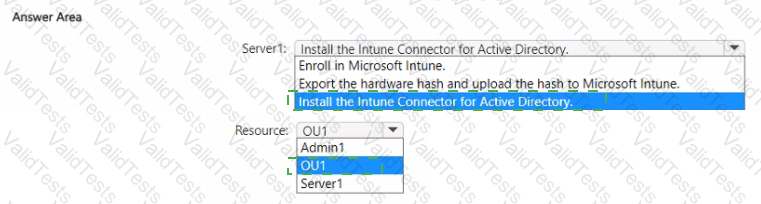
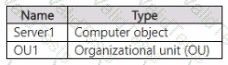
Your on-premises network contains an Active Directory domain named contoso.com. The domain contains a user account named Admin1 and the resources shown in the following table.
You have a Microsoft 365 E5 subscription.
You have a Microsoft Entra tenant that syncs with contoso.com.
Admin! plans to use Windows Autopilot to deploy 10X3 Windows 11 devices. The deployment must meet the following requirements:
• The devices must be Microsoft Entra hybrid joined during the deployment.
• Computer objects must be created in 0U1.
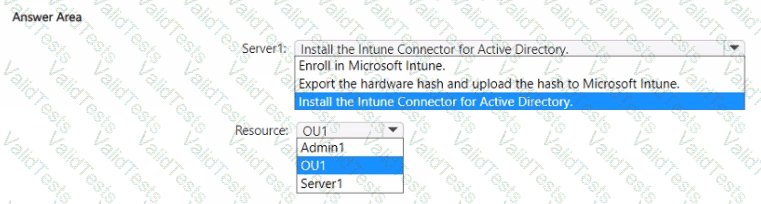
You need to configure Server1 and Active Directory delegation to support the deployment.
How should you configure Server1, and on which resource should you configure delegated permissions? To answer, select the appropriate options in the answer area.
NOTE: Each correct selection is worth one point.
You have a Microsoft 365 subscription.
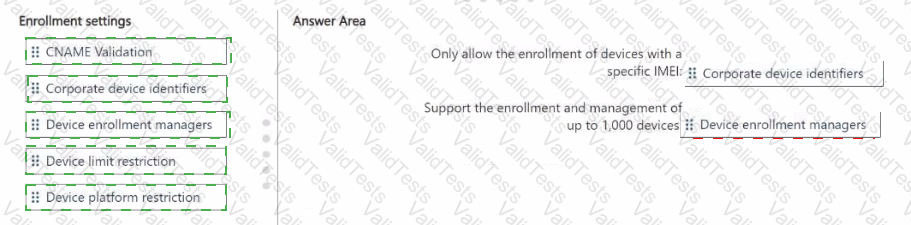
You plan to enroll devices in Microsoft Intune. You need to meet the following requirements:
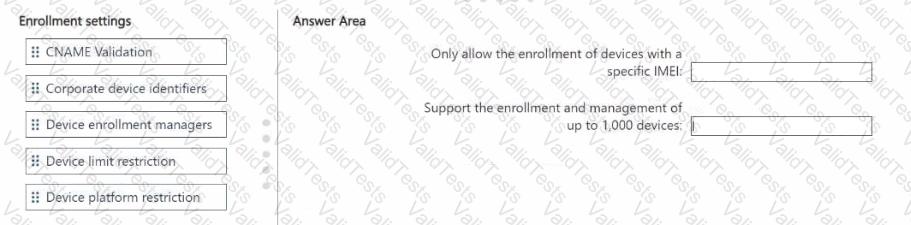
• Only allow the enrollment of devices that have a specific international mobile equipment identifier (IMEI).
• Support the enrollment and management of up to 1,000 devices
Which enrollment setting should you configure for each requirement? To answer, drag the appropriate settings to the correct requirements. Each setting may be used once, more than once, or not at all. You may need to drag the split bar between panes or scroll to view content.
NOTE: Each correct selection is worth one point.
 devices
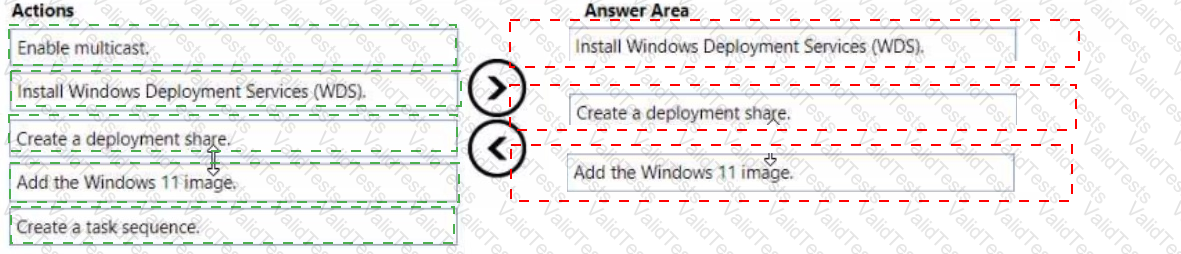
Your network contains an Active Directory domain.
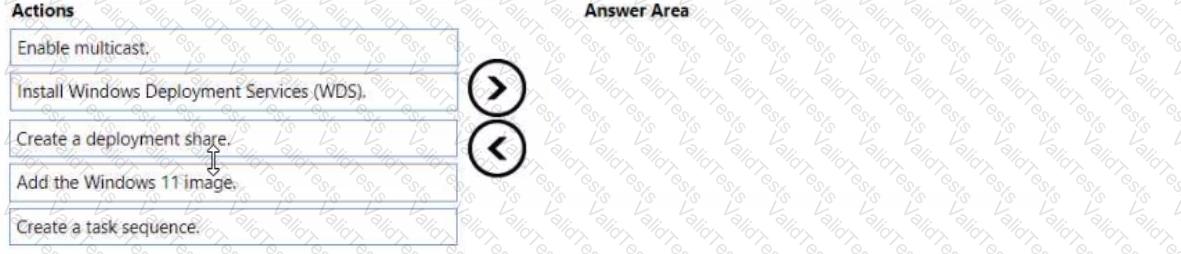
You install the Microsoft Deployment Toolkit (MDT) on a server.
You have a custom image of Windows 11.
You need to deploy the image to 100 devices by using MDT.
Which three actions should you perform in sequence? To answer, move answer area and arrange them in the correct order.
You have a Microsoft 365 subscription that contains 1,000 iOS devices and includes Microsoft Intune. You need to prevent the printing of corporate data from managed apps on the devices, should you configure?