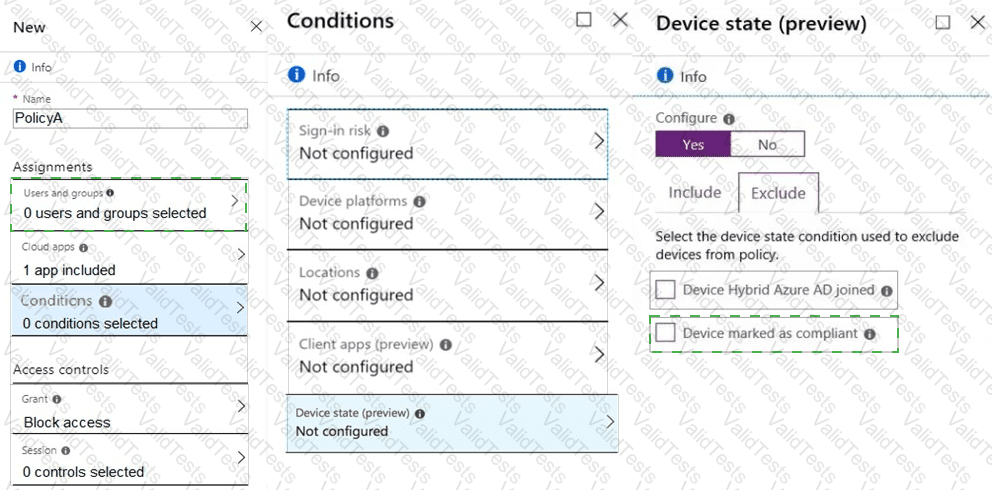
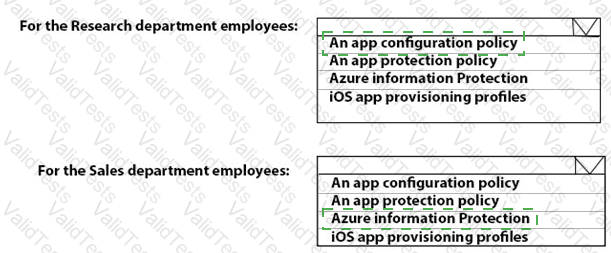
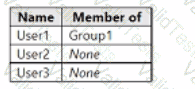
You have a Microsoft 36S subscription, use Microsoft Intune. and have the users shown in the following table.
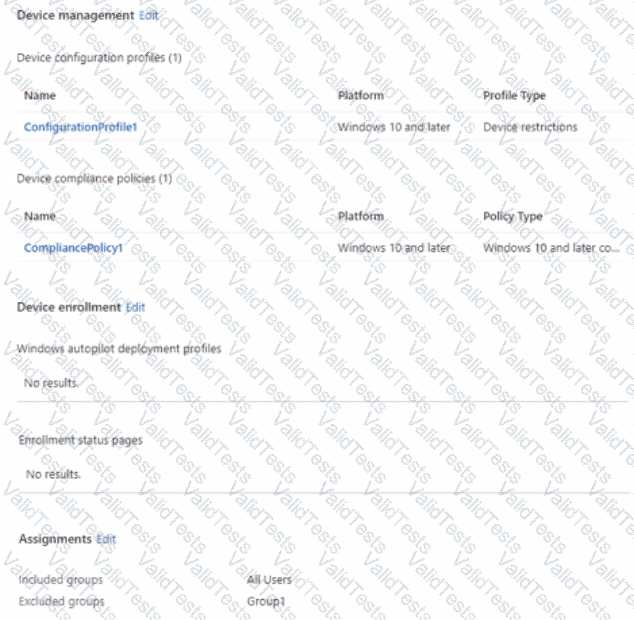
You create a policy set named Set1 as shown in the exhibit. (Click the Exhibit tab.)
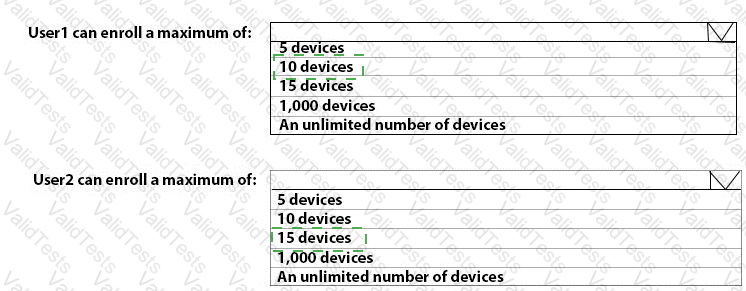
Users have enrolled devices in Intune as shown in the following table.
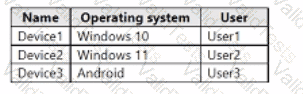
For each of the following statements, select Yes if the statement is true. Otherwise, select No.
NOTE: Each correct selection is worth on* point.

You have a Microsoft 365 subscription.
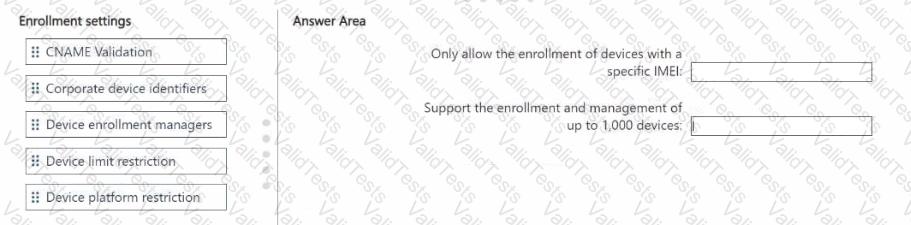
You plan to enroll devices in Microsoft Intune. You need to meet the following requirements:
• Only allow the enrollment of devices that have a specific international mobile equipment identifier (IMEI).
• Support the enrollment and management of up to 1,000 devices
Which enrollment setting should you configure for each requirement? To answer, drag the appropriate settings to the correct requirements. Each setting may be used once, more than once, or not at all. You may need to drag the split bar between panes or scroll to view content.
NOTE: Each correct selection is worth one point.
 devices
You have two computers named Computer1 and Computed that run Windows 10. Computed has Remote Desktop enabled.
From Computer1, you connect to Computer2 by using Remote Desktop Connection.
You need to ensure that you can access the local drives on Computer1 from within the Remote Desktop session.
What should you do?
You have a Microsoft 365 E5 subscription.
You need to enroll Android Enterprise devices in Microsoft Intune by using zero-touch enrollment.
What should you do first?
You need to implement mobile device management (MDM) for personal devices that run Windows 11. The solution must meet the following requirements:
• Ensure that you can manage the personal devices by using Microsoft Intune.
• Ensure that users can access company data seamlessly from their personal devices.
• Ensure that users can only sign in to their personal devices by using their personal account
What should you use to add the devices to Azure AD?
You manage 1.000 devices by using Microsoft Intune. You review the Device compliance trends report. For how long will the report display trend data?
You have a Microsoft 365 ES subscription.
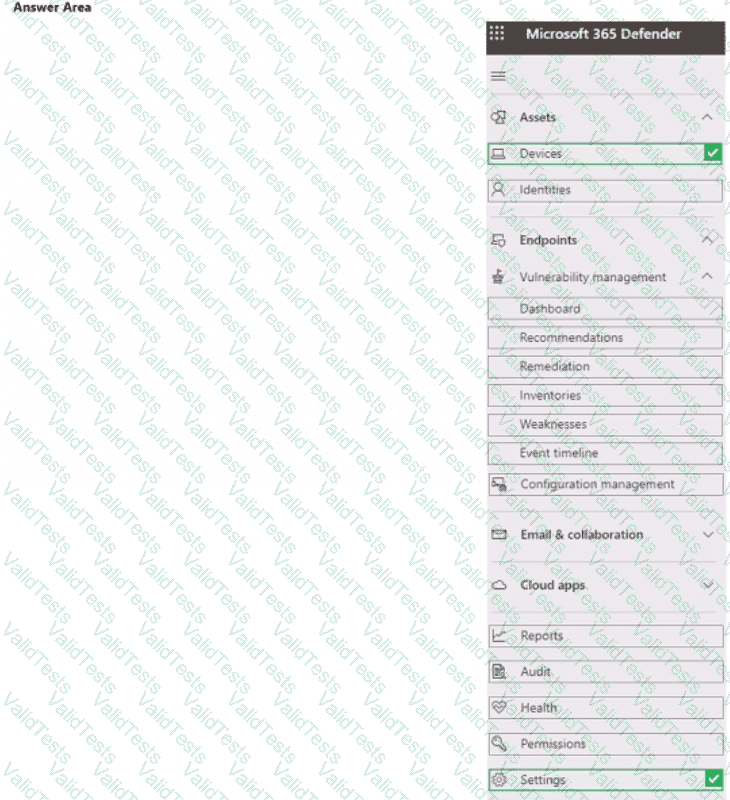
You need to review and implement Microsoft 365 Defender device onboarding. The solution must meet the following requirements:
• View onboarded devices that have the Chromium-based version of Microsoft Edge installed,
• Download an onboarding package for a Windows 11 device.
• Minimize administrative effort.
Which two settings should you use in the Microsoft 365 Defender portal? To answer, select the appropriate settings in the answer area.
NOTE: Each correct selection is worth one point.
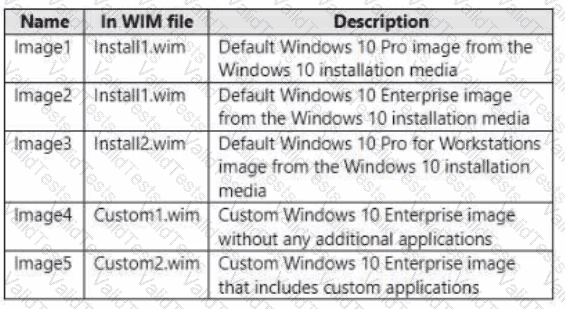
You have a Microsoft Deployment Toolkit (MDT) deployment share named Share 1. You add Windows 10 images to Share! as shown in the following table.
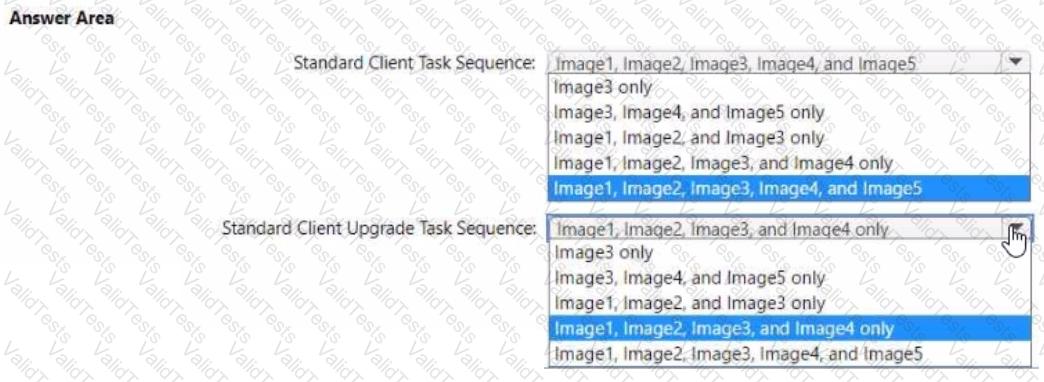
Which images can be used in the Standard Client Task Sequence, and which images can be used in the Standard Client Upgrade Task Sequence?
NOTE: Each correct selection is worth one point.
You have a Microsoft 365 subscription that uses Microsoft Intune Suite. You use Microsoft Intune to manage devices.
You need to review the startup times and restart frequencies of the devices. What should you use?
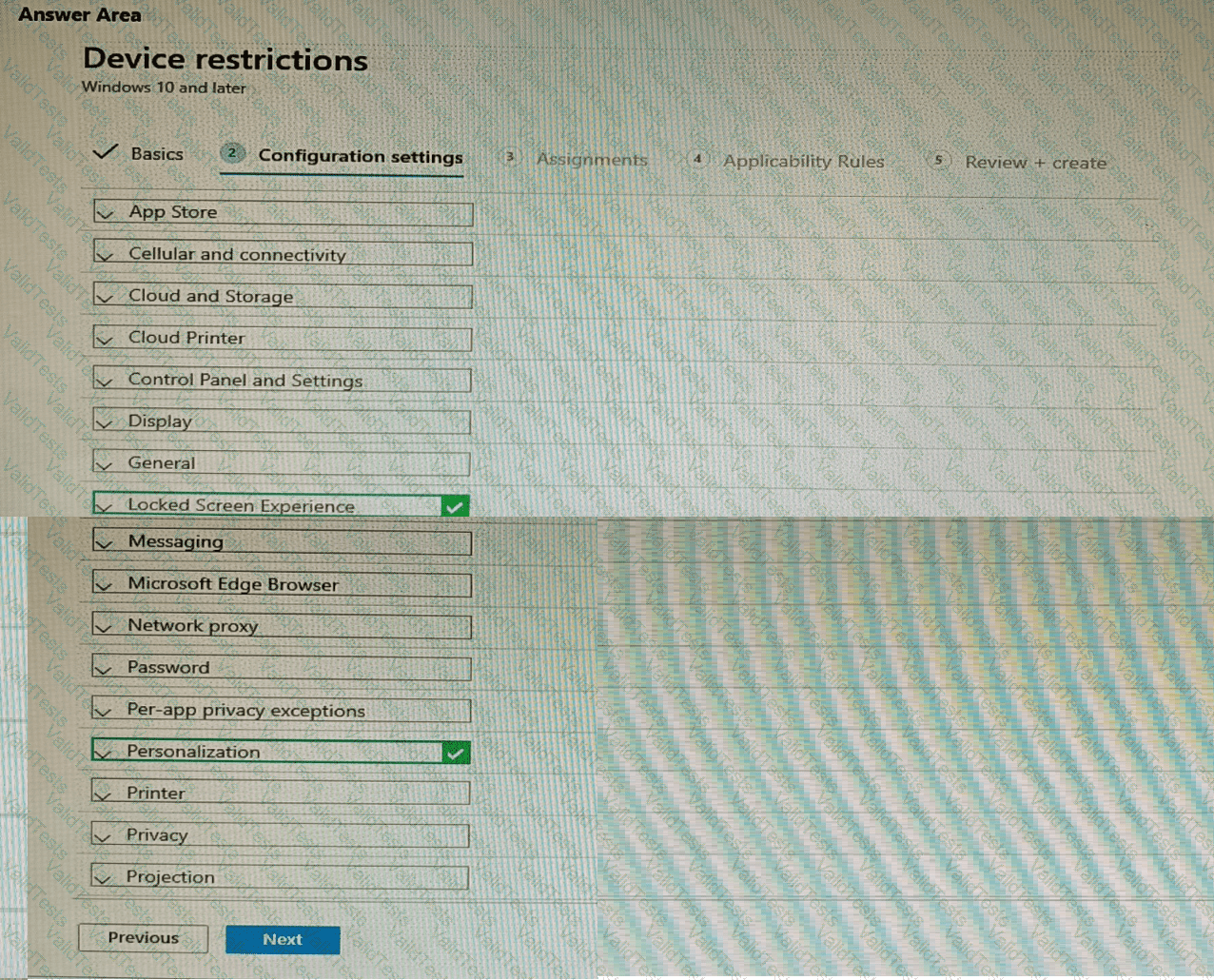
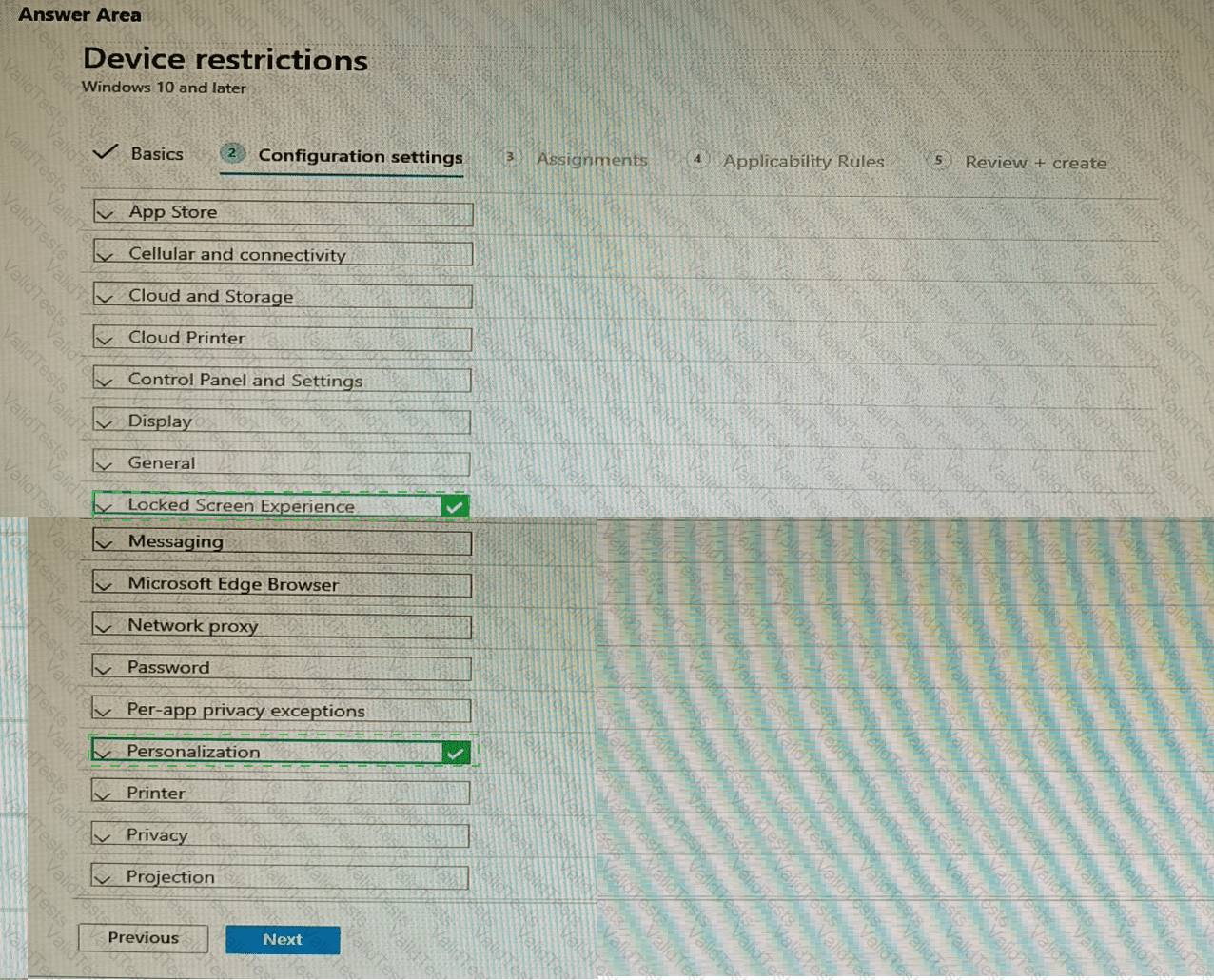
You have 200 computers that run Windows 10. The computers are joined to Azure AD and enrolled in Microsoft Intune. You need to set a custom image as the wallpaper and sign-in screen.
Which two settings should you configure in the Device restrictions configuration profile? To answer, select the appropriate settings in the answer area.
NOTE: Each correct selection is worth one point.