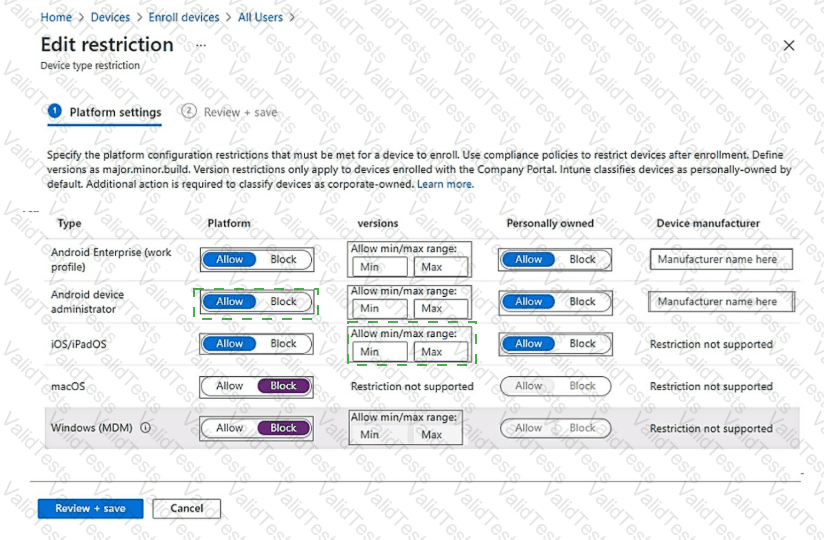
You have a Microsoft 365 E5 subscription that uses Microsoft Intune.
You need to ensure that users can only enroll devices that meet the following requirements:
• Android devices that support the use of work profiles.
• iOS devices that run iOS 16.0 or later.
Which two restrictions should you modify? To answer, select the restrictions in the answer area.
NOTE: Each correct selection is worth one point.

You have a Microsoft Deployment Toolkit (MDT) deployment share that has a path of D:\MDTShare.
You need to add a feature pack to the boot image.
Which three actions should you perform in sequence? To answer, move the appropriate actions from the list of actions to the answer area and arrange them in the correct order.

You have an Azure AD tenant that contains the devices shown in the following table.

You purchase Windows 11 Enterprise E5 licenses.
Which devices can use Subscription Activation to upgrade to Windows 11 Enterprise?
You have a Microsoft 365 E5 subscription that contains 1,000 Windows 11 devices. All the devices are enrolled in Microsoft Intune.
You plan to integrate Intune with Microsoft Defender for Endpoint.
You need to establish a service-to-service connection between Intune and Defender for Endpoint.
Which settings should you configure in the Microsoft Endpoint Manager admin center?
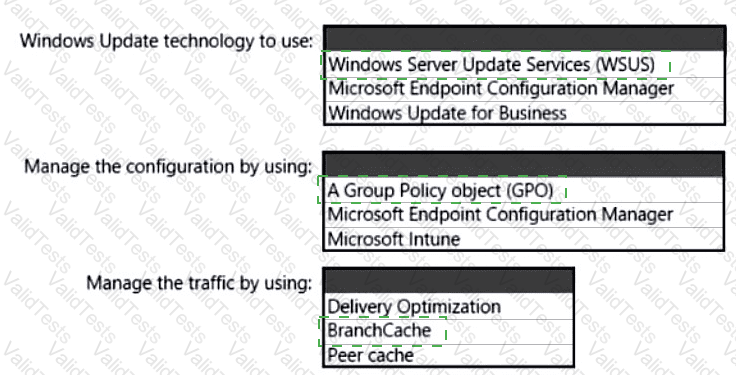
You have 100 computers that run Windows 10. You have no servers. All the computers are joined to Microsoft Azure Active Directory (Azure AD).
The computers have different update settings, and some computers are configured for manual updates.
You need to configure Windows Update. The solution must meet the following requirements:
The configuration must be managed from a central location.
Internet traffic must be minimized.
Costs must be minimized.
How should you configure Windows Update? To answer, select the appropriate options in the answer area.
NOTE: Each correct selection is worth one point.

You have a Microsoft Entra tenant that contains the devices shown in the following table.

The tenant contains the groups shown in the following table.

You create a Windows Autopilot deployment profile as shown in the Deployment Profile exhibit (Click the Deployment Profile tab.)

For each of the following statements, select Yes if the statement is true. Otherwise, select No.
NOTE: Each correct selection is worth one point.

You have a computer named Computer! that runs Windows 11.
A user named User1 plans to use Remote Desktop to connect to Computer1.
You need to ensure that the device of User1 is authenticated before the Remote Desktop connection is established and the sign in page appears.
What should you do on Computer1?
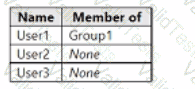
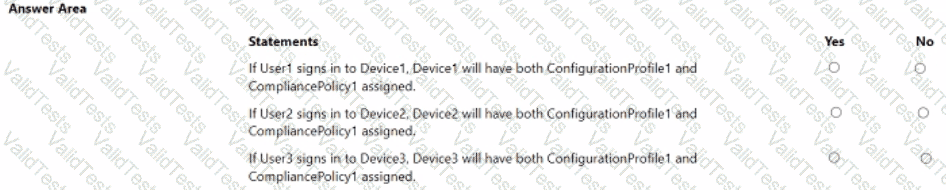
You have a Microsoft 36S subscription, use Microsoft Intune. and have the users shown in the following table.
You create a policy set named Set1 as shown in the exhibit. (Click the Exhibit tab.)
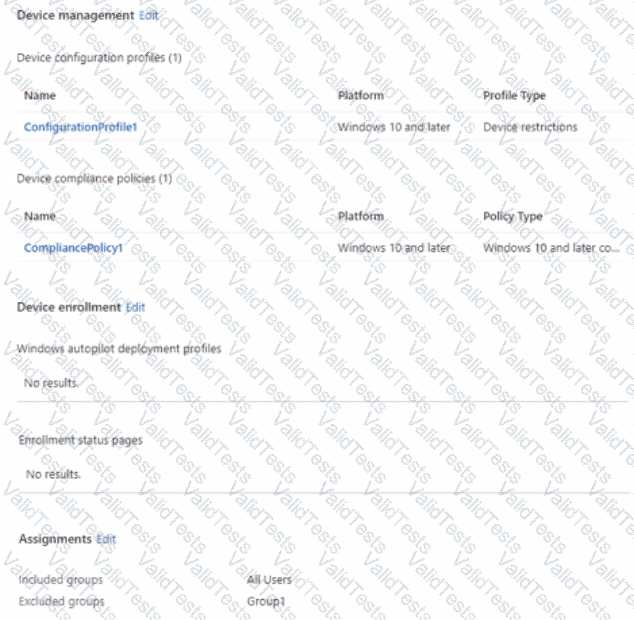
Users have enrolled devices in Intune as shown in the following table.
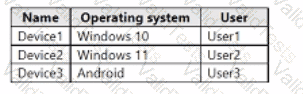
For each of the following statements, select Yes if the statement is true. Otherwise, select No.
NOTE: Each correct selection is worth on* point.
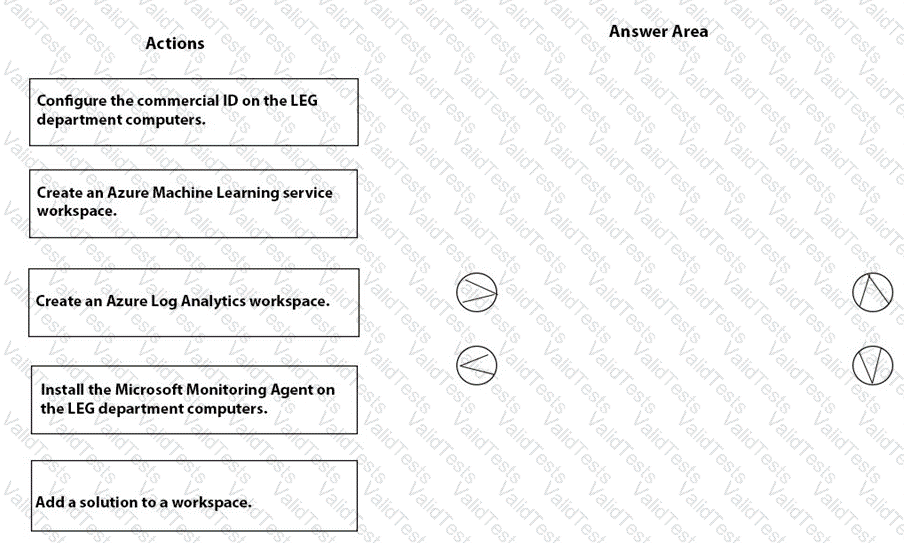
You need to meet the technical requirements for the LEG department computers.
Which three actions should you perform in sequence? To answer, move the appropriate actions from the list of actions to the answer area and arrange them in the correct order.
You need to meet the requirements for the MKG department users.
What should you do?